


| CVE ID | CVE-2026-123039 |
| Advisory | Check Point sk1000362 |
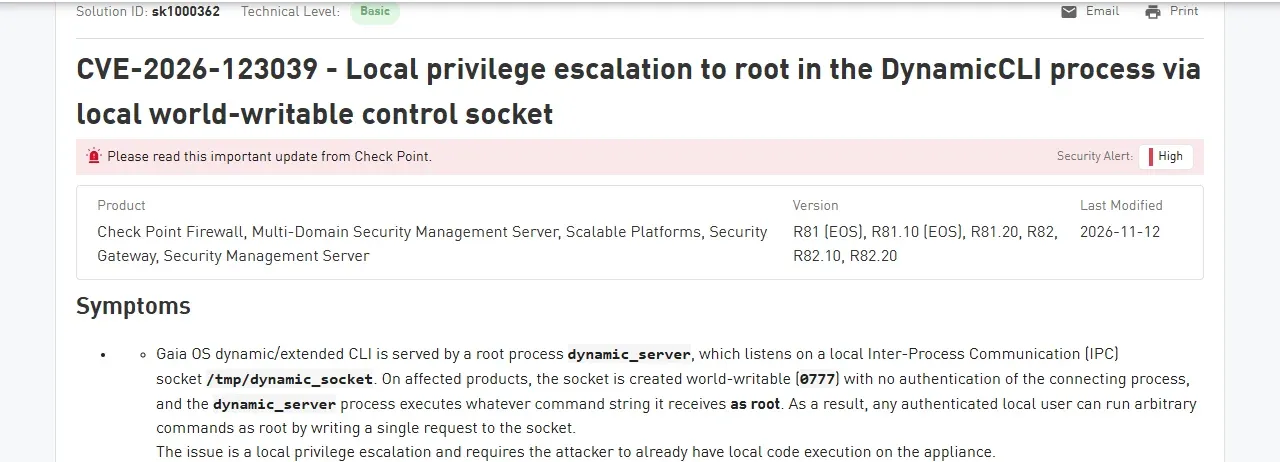
| Full Title | Local privilege escalation to root in the DynamicCLI process via local world-writable control socket |
| Severity | High |
| CVSS Score | 7.8 / 10 |
| Attack Vector | Local, needs code execution on the appliance first |
| Exploited in Wild | Yes, Check Point reports attacks on a couple of dozen customers |
| CISA KEV | Added November 13, 2026, federal due date November 16, 2026 |
| Not Affected | Spark firewalls and Smart-1 Cloud |
Affected Versions and Patches
| Version | Fixed in Jumbo Hotfix Accumulator |
|---|---|
| R82.20 | Take 14 or later |
| R82.10 | Take 52 or later |
| R82 | Take 132 or later |
| R81.20 | Take 174 or later |
| R81.10 and R81 | End of support, no fix listed. Upgrade to a supported version |
The fix is in the Jumbo Hotfix Accumulator for each supported version. It applies to Security Gateways, Management and Log Servers, Multi-Domain servers, Maestro Orchestrators and Scalable Platforms. Check sk1000362 for later changes.
What This Means for Your Business
Your firewall and the server that manages it are the last places you want an attacker with full control. This flaw does not let someone in from the internet on its own. It turns a small foothold on the appliance into total control of it, and Check Point says that has already happened to a couple of dozen customers. If a Check Point firewall protects your office, ask whether it got the latest Jumbo take this week.
What Is Happening
A Gaia process called dynamic_server runs as root and listens on a local socket at /tmp/dynamic_socket. That socket was created writable by every user, and the process does not check who is connecting. Anything that can run code on the appliance can send it a command and have it run as root.
That makes it a second-stage flaw. An attacker first needs some way to run code on the box, such as another bug or a low-privilege account, then uses this one to take over completely. CISA added it to the Known Exploited Vulnerabilities catalog on November 13 and flagged it for forensic triage.
Fix Steps
1. Check your version and Jumbo take. In Expert mode, run:
cpinfo -y allIn the Gaia Portal, the same information is under Upgrades (CPUSE), Status and Actions, filtered to Installed. Do this on every gateway, cluster member and management server.
2. Install the fixed Jumbo take. Install the take from the table above or later through CPUSE. On a cluster, follow your usual one-member-at-a-time order.
3. Confirm the socket is locked down. After the update, the socket should be readable only by root and the config group:
ls -l /tmp/dynamic_socketThe permissions should read srw-rw---- with owner root and group config. If they still read srwxrwxrwx, the fix is not in place.
Cannot patch yet? sk1000362 gives Expert mode commands to stop and disable the dynamic_server process. Copy them from the article itself. Disabling it breaks the Dynamic CLI commands Check Point lists in sk144112, so plan for that.
Check for Signs of Exploitation
The process logs every command it receives to /var/log/dynamicCli.log. Normal requests arrive wrapped in a standard Clish prefix. Anything without that prefix needs a closer look:
grep "Received =" /var/log/dynamicCli.log | grep -vF "CPprofile.sh >> /dev/null; export SP_DISTRIBUTE=0; set -o noglob;"Also check for the uncommon return-value form, which legitimate use rarely produces:
grep -F "Received = #return_value#" /var/log/dynamicCli.logsk1000362 has one more search for common attacker commands such as reading /etc/shadow, adding users or downloading tools. Run it as well. After patching, blocked attempts show up as rejected connections:
grep "Rejected connection from unauthorized uid" /var/log/dynamicCli.logA rejection from a non-zero user ID means something on the box tried to escalate after the fix. Whatever you find, the bigger question is how the attacker got local code execution in the first place, so check admin accounts, SSH keys and recent configuration changes too.
Ask Your IT Person
Which Jumbo take is every gateway and management server on? Get the take number for each one.
Did anyone check dynamicCli.log? This one was exploited before most people heard of it.
Are we on R81.10 or R81? Those are past end of support and have no fix listed, so they need an upgrade.
Related Posts
vCenter CVE-2026-123890: Patch the 9.8 Auth Bypass
Cisco Expressway CVE-2026-76466: Patch to X15.5.20
November 2026 Patch Tuesday Known Issues and Fixes
Need help patching Check Point or reviewing firewall logs? Contact Rain City Techworks.