


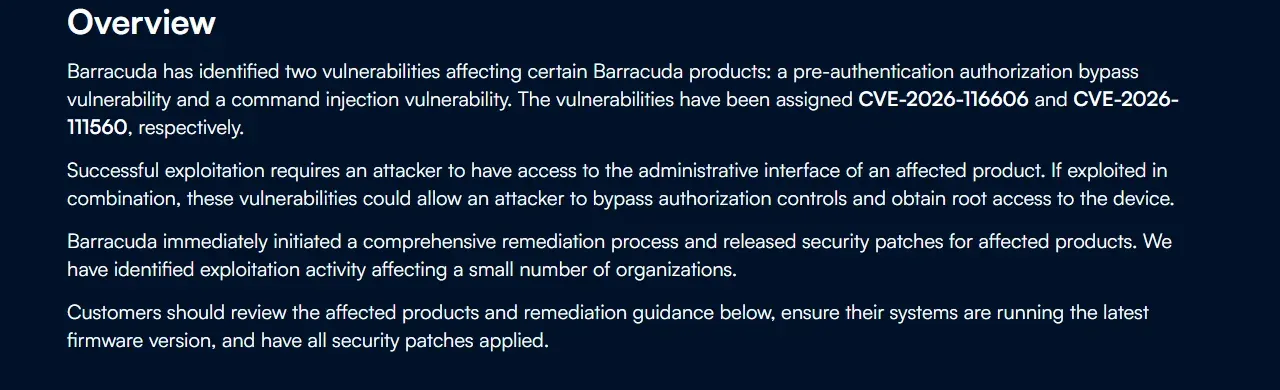
| CVE IDs | CVE-2026-116606 and CVE-2026-111560 |
| Advisory | Barracuda Trust Center advisory |
| CVE-2026-116606 | Pre-authentication authorization bypass, Email Security Gateway only |
| CVE-2026-111560 | Command injection in the timezone field, ESG and other Barracuda appliances |
| CVSS Score | NVD 9.8 and 7.2. Barracuda CVSS 4.0: 9.3 and 8.6 |
| Combined Impact | Root on the appliance |
| Exploited in Wild | Yes, Barracuda reports a small number of affected organizations |
| CISA KEV | Both added November 10, 2026, federal due date November 13, 2026 |
| Fixed In | ESG firmware 9.4.0.029 or later |
Affected Versions and Patches
| Product | Patch |
|---|---|
| Email Security Gateway 9.4.017 and later | BNSF-40425, or firmware 9.4.0.029 or later |
| Email Security Gateway below 9.4.017 | BNSF-40430. Below 9.1, update in two steps |
| Load Balancer ADC and Web Application Firewall | BNADC-16586 |
| Message Archiver | BNMA-32468 |
| Web Security Gateway | BNYF-24789 |
| Web Filter WCC | BNWF-60060 |
Barracuda says all versions of the Email Security Gateway are affected and the fix is firmware 9.4.0.029 or later. The command injection flaw also reaches several other Barracuda appliances, listed above with their patch IDs. Details are in the Barracuda Trust Center advisory and the Barracuda Campus ESG advisory.
What This Means for Your Business
The Email Security Gateway sits in front of your mailboxes and sees every message coming in and going out. An attacker who owns it can read mail, change filtering and use it as a base inside your network. Barracuda says some organizations have already been hit. If your company filters email through a Barracuda appliance, ask your IT person to confirm the firmware version today.
What Is Happening
CVE-2026-116606 lets someone who can reach the admin interface skip sign-in and import a crafted configuration backup, which rewrites the appliance’s settings. CVE-2026-111560 is a command injection in the timezone setting that runs commands as root for an admin. Chained, the first gives an attacker admin, and the second turns that into root on the box.
Both need access to the administrative web interface. That is the part you can control right now: an admin interface open to the internet is the difference between a patch you can schedule and an emergency.
Fix Steps
1. Check the firmware version. Sign in to the Email Security Gateway web interface and open Advanced, then Firmware Update. Read the Current Installed Version. 9.4.0.029 or later means the fix is in.
2. Check the patch setting. On the same page, look at Apply Patches in the Firmware Patches section. Barracuda’s documentation says it defaults to Disable and the appliance does not reboot on its own, so many appliances did not get the fix automatically.
3. Update. Update the firmware to 9.4.0.029 or later and restart. An appliance below 9.1 needs two updates in a row. Then repeat step 1 to confirm.
4. Turn on automatic patches. Barracuda recommends setting appliances to receive patches automatically so the next fix lands without waiting on you.
Lock Down the Admin Interface
Barracuda recommends limiting the admin interface to trusted internal networks. On the appliance, restrict administrative access to your management addresses, and at the firewall block the admin port from the internet. Test from outside your network after the change. The admin sign-in page should not load.
Check for Signs of Compromise
Barracuda has not published indicators of compromise on its advisory pages, and CISA flagged both CVEs for forensic triage. Compare the current configuration with a recent known-good backup, paying attention to admin accounts, mail routing, allow lists and the timezone setting. Look for configuration restores you did not perform. If anything is unexplained, rotate the admin credentials and contact Barracuda Technical Support before you trust the appliance again.
Ask Your IT Person
What firmware is our Barracuda on? The answer should be 9.4.0.029 or later.
Can the admin page be reached from the internet? It should not be.
Is automatic patching turned on? It is off by default.
Related Posts
Check Point CVE-2026-123039: Gaia Root Flaw Exploited
Cisco Expressway CVE-2026-76466: Patch to X15.5.20
Outlook CVE-2026-124194: Windows Update Won’t Fix It
Need help patching or locking down your email gateway? Contact Rain City Techworks.