Fix KB5074109 Install Error (0x800f0991)
Fix Windows 11 January 2026 security update KB5074109 installation errors 0x800f0991, 0x80073712, and 0x800f0989 with DISM repair, component reset, and repair install methods.


Fix Windows 11 January 2026 security update KB5074109 installation errors 0x800f0991, 0x80073712, and 0x800f0989 with DISM repair, component reset, and repair install methods.
Microsoft released an emergency security update for a vulnerability known as CVE-2026-21509.
Getting "AADSTS5000225: This tenant has been blocked due to inactivity"? Microsoft locked your Azure AD tenant after 200+ days of billing inactivity. You have 20 days to recover access.
A security update is stopping Windows 11 from starting. The January 2026 update KB5074109 is causing boot failures on Windows 11 versions 24H2 and 25H2. This results in a black
This week's security landscape was dominated by critical vulnerabilities and significant breach disclosures, underscoring persistent threats across major software platforms. High-severity CVEs demand immediate attention from enterprise security
Fix MO1221364 error in Microsoft 365, Outlook, Microsoft Defender, Microsoft Purview. Step-by-step solution to resolve this issue and get back to work.
When you install Microsoft 365 on a Mac, it should just work. But many users find Word, Excel, and PowerPoint crashing immediately at launch. The apps briefly open, then quit with a confusing dynamic linker error. Here's how to fix it.
When you see "Account is locked because user tried to sign in too many times with an incorrect user ID or password" (error code AADSTS50053), this is due to smart lockout protection. The lockout triggers after 10 failed attempts (or 3 for US Gov clouds).
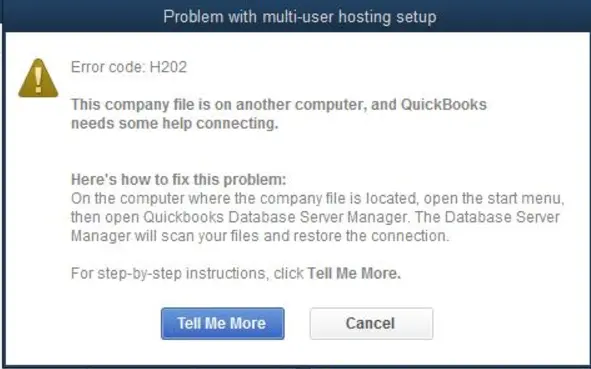
Your QuickBooks multi-user or integration sync is failing with errors like H202, H505, or "QuickBooks is not in Multi-User Mode." These errors block workstations and connected apps from accessing the company file.
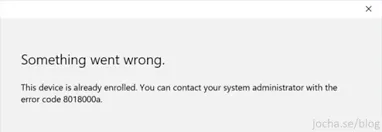
You're trying to enroll a device in Intune or Azure AD and get "Something went wrong. The device is already enrolled. Error code 8018000a." This happens when the device was removed from Intune but leftover enrollment records still exist in the registry.
This week's security landscape was dominated by critical vulnerabilities and significant breaches, prompting urgent patching and heightened defensive measures across multiple sectors. The disclosure of several high-severity CVEs
Getting error -2016281112 ("Remediation failed") in Intune when deploying Settings Catalog policies? This is usually a false-positive error. The policy likely applied successfully.