

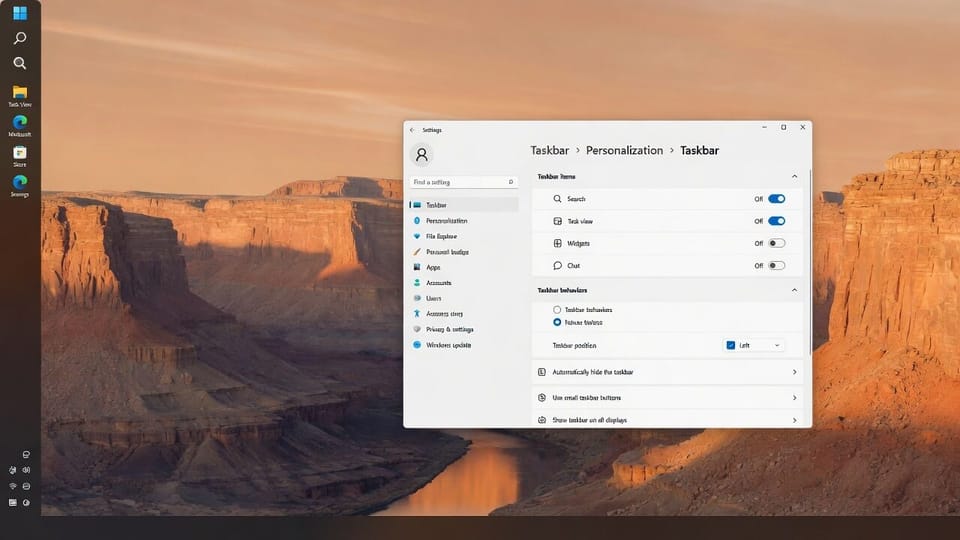
KB5120998 showed up on August 27 as an optional preview for Windows 11 24H2 and 25H2, builds 26100.9278 and 26200.9278. It carries the movable taskbar, so it is getting installed by people who would normally never touch a preview update.
Here is what is actually in it, and why it should still stay off your managed desktops until next month.
What It Changes
The taskbar can move. You can put it at the bottom, top, left, or right of the screen. Tooltips, flyouts, and animations follow it. The search box and the smaller taskbar option only work in the top and bottom positions, so the side positions cost you a feature.
The Start menu has a size setting. Small or large, alongside the existing automatic default, under Settings, Personalization, Start, Start menu size.
Recommended is now called Recent. Same section in Start, new name, and the settings page picked up section-level toggles for showing or hiding Pinned, Recommended, and All.
You can hide your name and profile picture in Start. Settings, Personalization, Start. Small thing, but it is the one people in shared spaces ask for constantly.
WMIC is gone. This update removes the WMIC utility as a Feature on Demand. Windows Management Instrumentation itself is untouched, but any script still calling wmic.exe on these builds is now broken.
Microsoft: KB5120998 release notes
Why Hold It on Managed Machines
An optional preview is a release candidate for the following month’s cumulative update. Microsoft ships the same fixes to everyone in the next monthly security update, so installing the preview buys a few weeks of features and takes on the risk of being in the test group.
This particular update also rolls out in two ways at once. The taskbar and Start changes go out as a gradual rollout, meaning availability varies by device and two identical machines can end up looking different. The quality fixes go out as a normal rollout to everything. That is a support headache for no gain when the features arrive on their own shortly.
Microsoft lists no known issues for KB5120998 as of this writing. Reports circulating about pointer settings and wallpapers reverting after installing it are not acknowledged by Microsoft and are not in the KB, so treat them as unverified rather than as a reason to panic.
The WMIC removal is the piece with real teeth for a business. If any of your monitoring, imaging, or onboarding scripts still shell out to wmic, this update breaks them, and it does so on a machine that opted into a preview rather than on a scheduled patch night.
How To Keep It Off
Optional previews are never installed automatically. They sit under Settings, Windows Update, behind a Download and install link, so the practical control is telling people not to click it. On managed devices, the deferral setting is what enforces it:
# Verify no preview or optional updates are being offered automatically
Get-ItemProperty "HKLM:\SOFTWARE\Microsoft\WindowsUpdate\UX\Settings" -Name IsContinuousInnovationOptedIn -ErrorAction SilentlyContinue
If a machine already took the update and you want it off, remove it and let the September cumulative bring the same content back on schedule:
Get-HotFix | Where-Object HotFixID -eq "KB5120998"
wusa /uninstall /kb:5120998
Check your scripts for wmic before that update lands broadly, because uninstalling only postpones it. The WMIC removal is coming to every machine in the next cumulative regardless of what you do with this preview.
Related Posts
Fix: wmic Is Not Recognized on Windows 11
Fix KB5089573 Preview Update Install Errors
Remove Copilot From Windows 11 With GPO or Registry
Want update policy that stops surprises like this? Contact Rain City Techworks.