

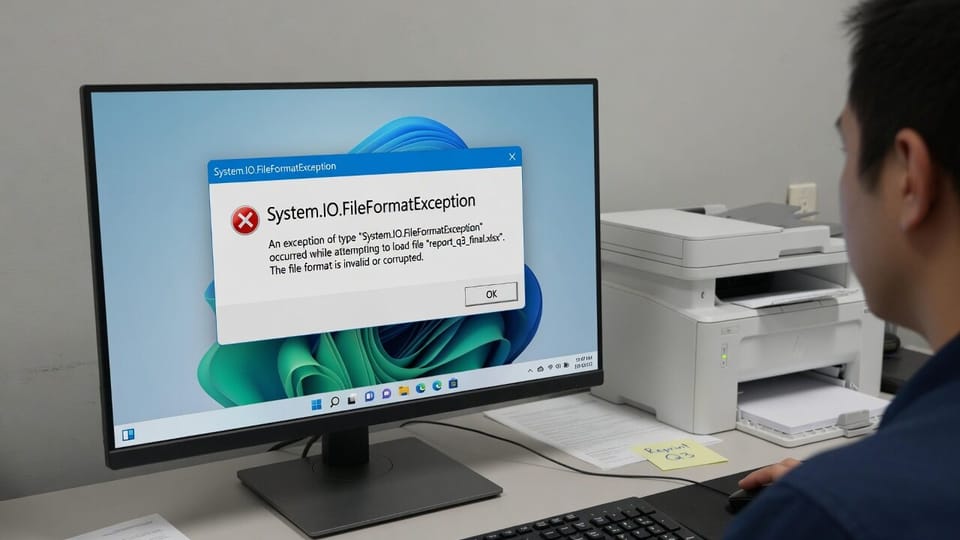
An app that printed fine last week now throws System.IO.FileFormatException the moment someone hits print or exports to PDF. Same app, same printer, same document. The only thing that changed was the August 11 .NET Framework update.
Microsoft has confirmed this one. It affects WPF applications printing or generating PDF and XPS content using certain fonts, and Calibri is on the list, which is why so many ordinary business documents trip it.
Quick Fix
There is no patched .NET build yet. Microsoft lists the issue status as Investigating, so the immediate options are to work around the font or to uninstall the update on the affected machine.
The fastest non-destructive test is to change the document font. Open the template or report that fails, switch Calibri to Segoe UI or Arial, and print again. If it prints, you have confirmed the bug and bought yourself time without touching the update.
To roll the update back on a single machine while you wait, confirm it is installed and remove it:
Get-HotFix | Where-Object HotFixID -eq "KB5120708"
wusa /uninstall /kb:5120708
Uninstalling puts the machine back on the vulnerable .NET build, so treat it as a stopgap on the one workstation that has to print today, not a fleet-wide policy.
What Causes This
The August 2026 .NET Framework update added protections around TrueType font parsing. Part of that hardening rejects font data that overflows the cmap and sbit tables during print rendering. Some perfectly normal installed fonts hit the new check, WPF raises FileFormatException, and the print or PDF export dies before anything reaches the spooler.
Because the failure happens inside the font handling path and not in the printer stack, reinstalling the printer driver does nothing. Neither does clearing the spooler. The document simply never gets rendered.
Microsoft: KB5120708 known issues and workaround
The Vendor Workaround, and Why to Avoid It
Microsoft published an AppContext switch that turns the new protection back off. It goes in the application config file:
<configuration>
  <runtime>
    <AppContextSwitchOverrides value="Switch.MS.Internal.TtfDelta.DisableCmapAndSbitOverflowProtection=true"/>
  </runtime>
</configuration>
Read Microsoft’s own warning on that switch before you use it. In their words, it disables security protections introduced in the August 2026 update and may increase exposure to the vulnerabilities addressed by that update. They recommend it only as a temporary measure and only where required.
In practice this belongs to your software vendor, not to you. If a line-of-business app is the thing that breaks, open a ticket with the vendor and let them decide whether to ship the switch in their config. Editing a vendor application’s config file yourself tends to get wiped on the next update anyway.
If That Didn’t Work
Confirm it is actually a WPF app. This bug hits WPF printing. If Word or a browser is also failing to print on the same machine, you are chasing something else and the printer troubleshooting guides below are the better starting point.
Check which .NET version is installed. KB5120708 covers .NET Framework 3.5 and 4.8.1 on Windows 11 25H2 and the matching server build. Other Windows versions received their own August .NET rollups with different KB numbers, so match the KB to the machine before uninstalling anything.
Test with a fresh document. Create a blank document in the affected app using a default font. If that prints and your real template does not, the font substitution route will hold until Microsoft ships the fix.
Related Posts
Fix Office Apps Not Launching From Other Programs
Fix: Printer Driver Unavailable on Windows 11
Fix Network Printer Error 0x0000011b
Line-of-business printing broken after a patch? Contact Rain City Techworks.