


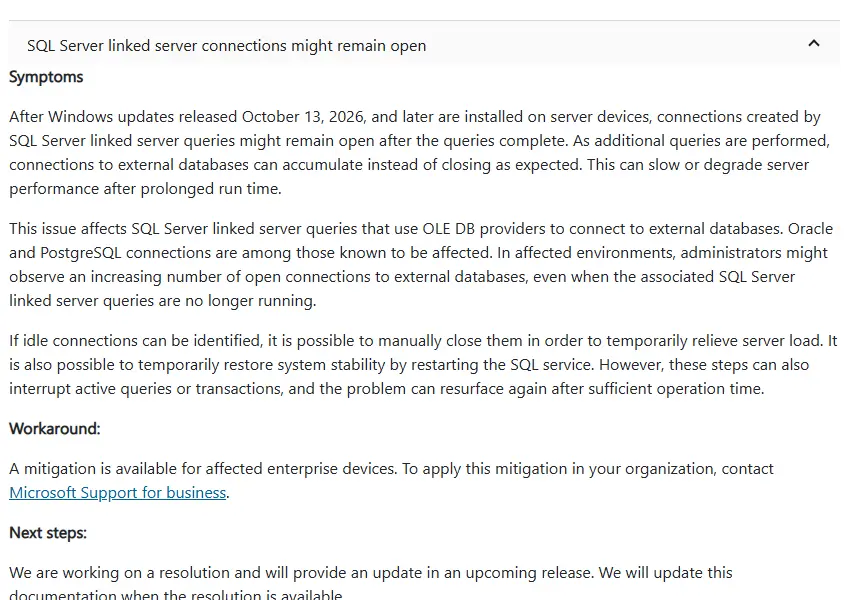
If a SQL Server that queries Oracle or PostgreSQL through linked servers has slowed down since October, and the remote database shows hundreds of idle sessions from it, you are probably hitting a confirmed Windows bug. Since the October 13, 2026 Windows updates, connections opened by linked server queries can stay open after the query finishes, and they keep piling up.
Status as of November 21, 2026: Confirmed by Microsoft and still open. November’s updates and the November 13 out-of-band updates do not fix it. A mitigation is available through Microsoft Support for business, and Microsoft says a fix is coming in an upcoming release.
Who Is Affected
The problem is in Windows, not in SQL Server, so the SQL Server version does not matter. It affects linked server queries that use OLE DB providers to reach external databases. Microsoft names Oracle and PostgreSQL connections as known to be affected. Other OLE DB targets may be too.
Microsoft lists Windows Server 2012 through Windows Server 2025 as affected, along with Windows 11 and Windows 10 LTSC 2019 clients. The issue started with the October 13 updates, such as KB5126646 for Server 2025 and KB5126655 for Server 2022. Every update since then carries it, including November’s.
How to Confirm It
1. Count connections from SQL Server. On the SQL Server host, list established connections owned by sqlservr.exe, grouped by remote address and port. Oracle listens on 1521 and PostgreSQL on 5432 by default:
$sql = (Get-Process sqlservr).Id
Get-NetTCPConnection -State Established | Where-Object { $sql -contains $_.OwningProcess } |
  Group-Object RemoteAddress, RemotePort | Sort-Object Count -Descending | Select-Object Count, Name -First 10
2. Run it again later. A healthy server goes up and down with load. On an affected server the count to the Oracle or PostgreSQL host only climbs, even when no linked server query is running.
3. Check the other side. On PostgreSQL, look for idle sessions from the SQL Server’s address:
SELECT client_addr, state, count(*)
FROM pg_stat_activity
GROUP BY client_addr, state
ORDER BY count(*) DESC;
On Oracle, a DBA can run the same check against v$session grouped by machine and status. Many INACTIVE sessions from the SQL Server host is the sign.
Keep the Server Running for Now
Restart the SQL Server service in a maintenance window. Microsoft says restarting the service restores stability for a while. It also drops active queries and transactions, so schedule it. The connections build up again over time, so watch the count and restart before the remote database hits its session limit.
Restart-Service -Name MSSQLSERVER -ForceFor a named instance, the service is MSSQL$InstanceName. SQL Server Agent stops with it, so check that jobs restart afterward.
Or close idle sessions on the remote database. Microsoft also lists closing idle connections as temporary relief. A DBA can end idle sessions from the SQL Server host on the Oracle or PostgreSQL side. Make sure they are idle first, since killing an active one rolls back its work.
Get the real mitigation. Microsoft has a mitigation for affected business devices but has not published it. Open a case through Microsoft Support for business and reference the known issue “SQL Server linked server connections might remain open.”
Should You Uninstall the Update
Removing the October and November updates would remove the bug and every security fix in them, including fixes for flaws attackers are using now. For most servers that is a worse trade than a scheduled service restart. If you do roll back as a last resort, our guide to uninstalling a bad update covers the safe way, and the server should not face the internet while unpatched.
What This Means for Your Business
If your accounting, ERP or reporting system pulls data from another database, it may slow down or stop answering until someone restarts it. Ask your IT person whether any SQL Server uses linked servers, and whether a restart is scheduled until Microsoft ships the fix.
References
Microsoft Support: KB5136489 known issues
Microsoft Learn: Windows Server 2025 known issues
Related Posts
November 2026 Patch Tuesday Known Issues and Fixes
Fix slmgr Error 0x80041008 After the November Update
October 2026 Patch Tuesday Known Issues
Need help keeping SQL Server stable through this? Contact Rain City Techworks.