

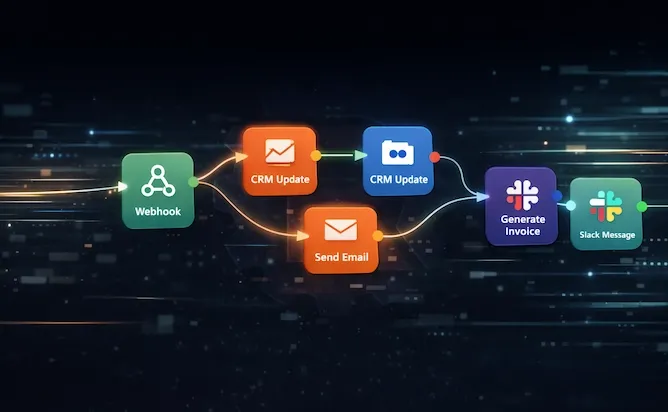
You're running a small business. Your team wears six hats each, your CRM is half-updated, and somehow it still takes three people to get an invoice out the door.
That's not a staffing problem. That's a process problem. And it's exactly the kind of thing workflow automation was built to fix.
We're not talking about some futuristic AI overhaul. We're talking about taking the repetitive stuff your team does every day - data entry, email routing, lead follow-up, invoice generation - and letting software handle it so your people can do actual work.
Why This Matters for Small Businesses Specifically
Big companies have had automation for years. They've got entire departments dedicated to it. But the tools have caught up to where a five-person team can now set up workflows that used to require a dedicated IT staff.
Here's what that looks like when it's working:
You get time back. Every hour your office manager spends copying data between spreadsheets is an hour they're not improving operations. Automation doesn't just save time - it creates capacity you didn't know you had.
Mistakes drop off. People get tired, especially doing the same thing for the eighth time that day. Software doesn't. A mistyped invoice number or a lead that sat in an inbox for three days - those things cost real money. Automated workflows run the same way every time.
You can grow without hiring at the same rate. This is the big one. When revenue growth isn't tied directly to headcount growth, your margins change completely. You can handle more customers, more transactions, more complexity - without doubling your team.
Your people are happier. Nobody took a job to manually enter the same data into three different systems. When you take that off their plate, they do better work on the things that actually matter. Retention improves when people feel like their skills are being used.
The financial math works fast. Fewer errors means less money fixing mistakes. Faster invoicing means better cash flow. Less manual overhead means lower operating costs. Most businesses see the ROI within the first few months.
Five Places Where SMBs See Results Fastest
You can't automate everything at once, and you shouldn't try. The move is to target the tasks that burn the most hours for the least strategic value. Here are five areas where most businesses we work with see the fastest payoff.
1. Sales Pipeline Management
Your sales team's job is closing deals, not updating spreadsheets. But without automation, a huge chunk of their day goes to CRM housekeeping, lead sorting, and scheduling follow-ups.
What gets automated:
- Lead capture from web forms drops straight into your CRM
- New leads get scored and routed to the right rep automatically
- Follow-up email sequences fire based on what the prospect actually did
- Pipeline reports update themselves - no one builds a Monday morning spreadsheet
What that looks like in practice: A real estate investment firm was drowning in thousands of monthly calls. They connected their phone system to a transcription tool and their CRM through an automated workflow. Calls got transcribed, analyzed, and enriched automatically. By the time a rep called a lead back, they already had a summary of the conversation and the lead's needs. No manual data entry. No context switching.
Here's the thing that kills most sales pipelines: lag time. If a lead sits in an inbox for three days before someone assigns it to a rep, conversion rates crater. Automation means leads get routed in seconds, not days.
2. Marketing That Runs While You Sleep
A small marketing team can maintain a consistent presence across email, social, and web without working nights - if the repetitive parts are handled.
What gets automated:
- Someone fills out your contact form at 2 AM, they get a personalized welcome email within minutes
- Social media posts get scheduled in batches - one afternoon covers a month
- Lead nurture sequences drip based on what content someone downloaded or what page they visited
- Marketing data syncs to your CRM so sales and marketing see the same picture
The biggest win here is consistency. You're not relying on someone remembering to send that follow-up or post that update. It just happens. Every lead gets touched at the moment of highest interest, not whenever someone gets around to checking the inbox.
3. HR and Employee Onboarding
If your HR person is also your office manager (and maybe your bookkeeper), onboarding a new hire turns into a week-long scavenger hunt of forms, account setups, and training schedules.
What gets automated:
- Signed offer letter triggers IT account creation, welcome packets, and first-day instructions
- Orientation meetings and training sessions get scheduled without back-and-forth emails
- Time-off requests route to the right manager with automatic approval workflows
- Every step creates an audit trail for compliance
When a new employee's first day runs smoothly because everything was already set up before they walked in, that's automation working quietly in the background. It also means your HR person spent five minutes on the process instead of five hours.
4. Customer Support That Doesn't Sleep Either
Nothing kills customer loyalty faster than slow responses. But you can't afford to staff a support desk around the clock.
What gets automated:
- Incoming emails get categorized and turned into tickets automatically
- Common questions (password resets, hours, pricing) get instant responses
- Urgent issues get flagged and escalated based on rules you define
- Resolution surveys go out automatically after tickets close
For service businesses - HVAC, property management, legal - the after-hours gap is where you lose clients. An automated intake workflow can handle incoming requests, collect job details, book appointments, and answer FAQs while your team is offline. The business never misses a lead.
5. Invoicing and Financial Operations
Cash flow is everything. And yet most SMBs still have manual steps between "deal closed" and "invoice sent."
What gets automated:
- A sale closes in your CRM and an invoice auto-generates in your accounting software
- The invoice gets emailed to the client without anyone opening QuickBooks
- Payment reminders go out at 30, 60, and 90 days on their own
- When payment hits, your books update and the record closes
That's the whole cycle. Nobody opened a spreadsheet. Nobody cross-referenced bank statements with invoices. Nobody forgot to send the reminder that would've collected that $4,000 receivable two weeks sooner.
Getting Started Without Overcomplicating It
Here's the approach that actually works:
Pick one painful process. The one your team complains about. Usually it's data entry, lead follow-up, or invoicing. Start there.
Map it out on paper first. Write down every step, every handoff, every "then someone has to..." moment. This is important - if the process is broken when done manually, automating it just makes it fail faster and more consistently.
Start with the 80/20 version. Automate the bulk of the work and keep a human approval step for anything sensitive. You don't need full autonomy on day one. Most of the time savings come from eliminating the grunt work, not the decision-making.
Measure before and after. Track hours spent, errors caught, response times. This isn't just for justification - it's how you decide what to automate next.
The Part Nobody Talks About
A workflow that "mostly works" and one that runs reliably for months without intervention are very different things. The difference is usually in the details: error handling, edge cases, what happens when an API times out at 3 AM, what happens when someone enters data in a format nobody anticipated.
That gap between a basic automation and a production-grade one is where things fall apart for most businesses. It's also why we build these professionally - designing the workflow is the straightforward part. Making it bulletproof so it runs unattended for months is where the real value lives.
Bottom Line
Workflow automation isn't about replacing your team. It's about freeing them from work that a computer should've been doing all along. Start with one process, prove the ROI, and expand from there.
The alternative - hiring more people to do repetitive manual work - just doesn't scale. And in a market where every small business is trying to do more with less, the ones that figure out automation first are the ones that pull ahead.
If you're not sure where to start, or you've got a process eating your team's time and want to know if it can be automated - that's literally what we do.
Related Reading
- Managed IT Services for Growing Businesses
- Cloud Services That Scale With You
- IT Support When You Need It
Rain City Techworks provides managed IT and automation services for businesses throughout Seattle, Tacoma, and the Puget Sound region. Learn more or get in touch.