

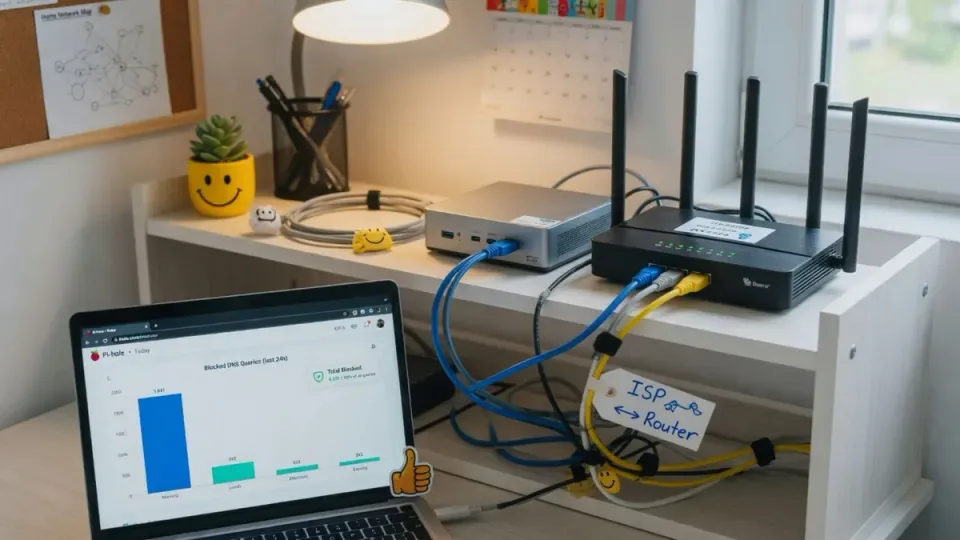
Everyone running a homelab eventually asks the same question: pi-hole vs adguard home, which one should I actually use? The network ad blocker category has three real contenders now. Pi-hole is the original DNS sinkhole. AdGuard Home is the polished challenger. Technitium is the one power users bring up whenever the other two fall short.
Pi-hole v6 landed in early 2025 as a full rewrite, ditching lighttpd and PHP entirely. It's now on v6.5 with security patches and async startup improvements shipped as recently as February 2026. The architecture change means most older guides are wrong. This post covers the current state of all three tools.
TL;DR
- Pi-hole v6: biggest community, active ecosystem, now much cleaner architecture, still no native encrypted DNS
- AdGuard Home: single binary, built-in DoH/DoT/DNSSEC, easiest setup, solid parental controls
- Technitium: full recursive DNS server, authoritative zones, RBAC, clustering in v14, overkill for most but unbeatable for advanced setups
- Blocking effectiveness is nearly identical across all three when using the same lists
What Each Tool Actually Is
Pi-hole
Pi-hole launched in 2015 as a Raspberry Pi project and grew into the default recommendation for anyone who googled "block ads on whole network." For years it ran on a stack of lighttpd, PHP, dnsmasq, SQLite, and shell scripts held together with care and community patches.
Version 6 changed that. The entire web server and API now live inside the pihole-FTL binary. No more lighttpd, no more PHP. The Docker image shrank from 113 MB to 38 MB on Alpine. Config consolidates into a single TOML file at /etc/pihole/pihole.toml. The upgrade migrates your v5 config automatically, but it is strictly one-way. Back up before you run it.
The new web interface splits settings into Basic and Expert modes, the query log loads fast thanks to server-side pagination, and HTTPS is now built-in. It is a meaningful improvement.
AdGuard Home
AdGuard Home launched in 2018 and immediately attracted users who wanted Pi-hole's functionality without the multi-component stack. It is a single Go binary. Drop it on a machine, run it, done. The setup wizard walks you through upstream DNS, listen addresses, and credentials on first launch.
Built-in support for DNS-over-HTTPS, DNS-over-TLS, DNSCrypt, and DNS-over-QUIC is the headline feature. DNSSEC validation is a checkbox in settings. Per-client rules, parental controls, and a query log with detailed upstream timing all ship in the base install, no plugins required.
Technitium DNS Server
Technitium is not trying to be a pihole alternative. It is a full recursive and authoritative DNS server that happens to also do ad blocking. If you want to run your own DNS zones, host internal domains, do split-horizon DNS, or set up high-availability DNS clustering across multiple nodes, Technitium is where you land.
Version 14, released November 2025, added native clustering: manage two or more server instances from a single web console, sync all config automatically, and get real failover without third-party tools. Zones, blocklists, settings, installed DNS apps, and users all replicate to secondary nodes. Cluster nodes communicate over TLS with DANE validation.
It also added TOTP-based 2FA and full RBAC in earlier versions. The API is comprehensive. The learning curve is steeper than the others, but nothing here is unreasonable for a sysadmin.
Setup Complexity
Pi-hole v6
Native install on Debian/Ubuntu:
curl -sSL https://install.pi-hole.net | bash
One script, interactive prompts, done in a few minutes on clean hardware. The v6 installer disables lighttpd automatically if it detects an existing install.
Docker is the recommended path for most setups:
services:
  pihole:
    image: pihole/pihole:latest
    container_name: pihole
    ports:
      - "53:53/tcp"
      - "53:53/udp"
      - "80:80/tcp"
      - "443:443/tcp"
    environment:
      TZ: "America/Los_Angeles"
      FTLCONF_webserver_api_password: "your-password-here"
      FTLCONF_dns_listeningMode: "ALL"
    volumes:
      - ./pihole/etc:/etc/pihole
    cap_add:
      - NET_ADMIN
    restart: unless-stopped
The environment variable names changed in v6. Old WEBPASSWORD becomes FTLCONF_webserver_api_password. Old REV_SERVER* variables merge into FTLCONF_dns_revServers. If you are upgrading an existing Docker setup, your old compose file needs updates.
One real gotcha: upgrading Docker from v5 to v6 requires keeping the dnsmasq.d volume mounted for the first start to complete migration, then you can remove it.
Setup difficulty: medium. Native install is easy; Docker upgrades from v5 need attention.
AdGuard Home
services:
  adguardhome:
    image: adguard/adguardhome:latest
    container_name: adguardhome
    ports:
      - "53:53/tcp"
      - "53:53/udp"
      - "80:80/tcp"
      - "443:443/tcp"
      - "853:853/tcp"
      - "3000:3000/tcp"
    volumes:
      - ./adguard/work:/opt/adguardhome/work
      - ./adguard/conf:/opt/adguardhome/conf
    restart: unless-stopped
Hit port 3000 on first run, complete the setup wizard, and you have a working DNS sinkhole with encrypted upstream DNS in about five minutes. Nothing complex here.
Adding DoH to your upstream is a text field, not a config file edit. Adding a blocklist is a URL paste. Per-client settings are a dropdown. AdGuard Home is the one you hand to a technically curious person who does not want to read documentation.
Setup difficulty: easy
Technitium
services:
  technitium:
    image: technitium/dns-server:latest
    container_name: technitium-dns
    hostname: dns-server
    ports:
      - "53:53/udp"
      - "53:53/tcp"
      - "443:443/tcp"
      - "853:853/tcp"
      - "5380:5380/tcp"
    volumes:
      - ./technitium/config:/etc/dns
    environment:
      - DNS_SERVER_DOMAIN=dns-server.local
    restart: unless-stopped
Initial setup is straightforward: web UI on port 5380, create an admin account, configure your upstream resolvers. Then the complexity opens up. Zones, DNS apps, conditional forwarding, blocklist tiers, RBAC users, API tokens, clustering. Each feature is well-documented, but there are a lot of features.
For a basic ad-blocking setup Technitium is not harder than Pi-hole. For anything involving internal zones or clustering, expect an afternoon.
Setup difficulty: easy to complex. It scales with what you actually want from it.
Dashboard and Analytics
Pi-hole v6
The redesigned dashboard shows total queries, blocked percentage, clients, and top blocked domains. Server-side pagination in the query log means large datasets no longer lock up the browser. The Basic/Expert settings split keeps the UI approachable without hiding advanced options.
The new interface is cleaner than v5. Not flashy, but it works.
AdGuard Home
AdGuard Home's dashboard is the standout in this category. Query statistics, upstream response times, client breakdowns, top blocked domains, top queried domains: all rendered clearly. The filtering stats show you exactly which list caught which domain.
Per-client settings let you assign different blocklists, upstream DNS servers, and schedules to individual devices or IP ranges. This is the feature that makes AdGuard Home worth the switch for households with kids: different rules for different devices, all managed from one interface.
Technitium
Technitium's dashboard shows query volume, cache hits, blocked queries, and response time trends. With clustering enabled in v14, you get an aggregate cluster view alongside per-node stats. The query log is detailed and filterable.
Where Technitium stands out is in DNS zone management: full zone editor, record types beyond A/AAAA/CNAME, zone transfer configuration, and DNSSEC signing per zone. No other tool in this category touches that.
Blocking Effectiveness
Raw blocking effectiveness is roughly equal when all three tools use the same lists. The software is not the bottleneck. The list is. All three support hosts files and domains-only lists. AdGuard Home and Technitium additionally support ABP-style filter syntax. Custom regex patterns are an AdGuard Home exclusive.
Where AdGuard Home pulls ahead: native support for AdGuard filter syntax means you can use lists that apply cosmetic filtering rules, hide ad placeholders, and block tracking parameters in URLs. Pi-hole and Technitium only do DNS-level blocking, so a domain either resolves or it does not.
Popular lists that work across all three:
- StevenBlack/hosts: 200K+ entries, well-maintained
- OISD: tiered lists, very low false positives
- Hagezi: aggressive, well-categorized
Pi-hole v6 adds "Antigravity": subscribed allowlists that counteract overly aggressive blocklists. If a list you use is blocking something legitimate, you can subscribe to an allowlist that covers it. This is new in v6 and genuinely useful.
Advanced DNS Features
| Feature | Pi-hole v6 | AdGuard Home | Technitium |
|---|---|---|---|
| DNS-over-HTTPS (upstream) | Via Unbound/cloudflared | Native | Native |
| DNS-over-TLS (upstream) | Via Unbound | Native | Native |
| DNS-over-QUIC | No | Native | Native |
| Serve DoH/DoT to clients | No | Yes | Yes |
| DNSSEC validation | No | Yes (checkbox) | Yes |
| DNSSEC signing for zones | No | No | Yes |
| Split-horizon DNS | Via custom dnsmasq | Limited | Full (DNS Apps) |
| Authoritative DNS zones | No | No | Yes |
| Conditional forwarding | Yes | Yes | Yes |
| DHCP server | Yes | Yes | Yes |
| Clustering/sync | Via third-party tools | No | Native (v14) |
| RBAC / multi-user | No | No | Yes |
| TOTP 2FA | No | No | Yes |
This table is the clearest argument for Technitium if you need any of the "Yes" entries it has that the others do not.
Pi-hole's lack of native encrypted DNS is the biggest gap. You can get DoH working by pairing Pi-hole with Unbound or cloudflared, but that is extra infrastructure to maintain. AdGuard Home and Technitium handle it natively.
Resource Usage
All three are lightweight on modern hardware. The differences show up on constrained devices.
Pi-hole v6 at idle uses roughly 50-100 MB RAM. With 3.5 million blocked domains loaded, expect 400+ MB. The Alpine-based Docker image starts fast and stays lean.
AdGuard Home at idle sits around 100-130 MB RAM. With large blocklists loaded, usage is comparable to Pi-hole. Occasional memory spike complaints during list updates appear in GitHub issues, but the current release is generally stable.
Technitium is a .NET application and carries a higher baseline: 150-250 MB at idle. On a Raspberry Pi 4 with 4 GB RAM, all three run fine. On a Pi Zero or Pi 1, Technitium is not the right choice. Pi-hole and AdGuard Home both run on a Pi Zero 2 W with headroom.
For Docker deployments on a VM or NAS with 2+ GB RAM, resource usage is not a meaningful differentiator.
Hardware Recommendations
| Platform | Pi-hole v6 | AdGuard Home | Technitium |
|---|---|---|---|
| Raspberry Pi Zero 2 W | Yes | Yes | Marginal |
| Raspberry Pi 3 (1 GB) | Yes | Yes | Tight |
| Raspberry Pi 4 (2+ GB) | Yes | Yes | Yes |
| Docker on NAS/VM | Yes | Yes | Yes |
| Bare metal x86 | Yes | Yes | Yes |
Full Feature Comparison Table
| Category | Pi-hole v6 | AdGuard Home | Technitium |
|---|---|---|---|
| First released | 2015 | 2018 | 2017 |
| Language | C (FTL) + Go | Go | C# / .NET |
| Docker image size | 38 MB (Alpine) | ~50 MB | ~200 MB |
| Idle RAM | ~50-100 MB | ~100-130 MB | ~150-250 MB |
| Native encrypted DNS | No | Yes | Yes |
| Serve DoH/DoT to clients | No | Yes | Yes |
| DNSSEC | No | Yes | Yes |
| Authoritative zones | No | No | Yes |
| Split-horizon DNS | Limited | Limited | Full |
| Clustering | No (third-party) | No | Yes (v14) |
| Per-client rules | Yes | Yes | Yes |
| Parental controls | Basic | Built-in | Via blocklists |
| ABP filter syntax | No | Yes | Yes |
| DHCP server | Yes | Yes | Yes |
| Multi-user / RBAC | No | No | Yes |
| 2FA | No | No | Yes (TOTP) |
| API | REST | REST | REST |
| Active community | Very large | Large | Smaller |
| Setup complexity | Medium | Easy | Easy to complex |
Pick This If...
Pick Pi-hole v6 if:
You have an existing Pi-hole setup and are comfortable with the ecosystem. The v6 rewrite is a genuine improvement. The community is the largest, documentation is extensive, and Gravity is mature. If you need to pair it with Unbound for recursive DNS, there are hundreds of guides. The community has solved every problem you will encounter.
Pick AdGuard Home if:
You are setting up for the first time and want something that works in 10 minutes with no compromises. Built-in DoH, DoT, DNSSEC, and per-client controls are features you would have to bolt on to Pi-hole. For households with mixed devices and different content needs per user, AdGuard Home's client management is genuinely useful. It is also the right call on constrained hardware where you do not want to run Unbound alongside Pi-hole.
Pick Technitium if:
You need a real DNS server. Running internal domains, split-horizon DNS, authoritative zones for your homelab, or high-availability DNS across two nodes: Technitium handles all of it cleanly. The clustering in v14 eliminates the Pi-hole sync tools that break on upgrades. If you are a sysadmin running a structured home network or a small office, Technitium is the professional-grade option, and the best dns ad blocker 2026 for that use case.
Do not overthink it: All three block ads effectively. AdGuard Home is where most new setups should start. Migrate when you hit a limitation.
Related Posts
- Ghost in the Resolver: The Dark Art of DNS Tunnels
- Proxmox vs ESXi vs Hyper-V: 2026 Showdown
- RustDesk vs AnyDesk vs TeamViewer: 2027 Edition
Need help locking down your network or setting up a managed DNS solution for your business? Contact Rain City Techworks.