

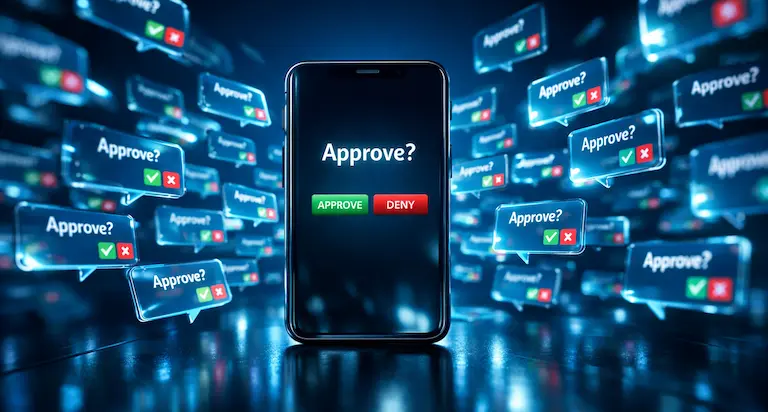
You did everything right. MFA on all accounts, enforced company-wide, the whole deal. Then at 11pm on a Wednesday, someone on your team got tired of their phone buzzing and tapped "Approve" on a prompt they didn't initiate. That's all it took.
I keep seeing this play out. It's called MFA fatigue, or push bombing, and it has been behind some of the biggest breaches in recent years. Uber in 2022. Cisco that same year. Scattered Spider hitting MGM and Caesars in 2023. None of these were some clever new exploit. An attacker had stolen credentials and just kept trying to log in until the MFA prompt wore somebody down.
How embarrassingly simple this is
Here's the part that gets me. There's nothing clever about it.
The attacker already has a valid username and password. Phishing campaign, credential dump, infostealer malware, whatever. They try to log in, MFA blocks them, a push notification hits the employee's phone. So they try again. And again. Dozens of times. Sometimes at 2am.
Nobody thinks "I'm under attack" when their phone starts going off. You think something's broken. You think maybe if you just approve one, it'll stop. And that's the whole thing. That's the attack.
With Cisco it got even uglier. The attackers called the employee, pretending to be IT. "Hey, we're seeing some weird activity on your account, mind approving the next prompt so we can verify?" And the person did. Then the attackers were inside the VPN. I've talked to admins who've dealt with this in their own environments and the thing that bothers them most is how avoidable it was.
The problem with push-based MFA specifically
Push MFA asks you to make a security decision and gives you nothing to base it on. Your phone says "approve or deny." It doesn't tell you where the login is coming from. No device info, no IP address, no geolocation. You're guessing. Every single time.
TOTP codes are better. Nobody accidentally types a six-digit code from their authenticator app. You have to open the app, read the number, type it in. That friction is the point.
Hardware keys are better still. A YubiKey sitting in your desk drawer can't be push-bombed. The attacker would need to physically have the key, and they don't.
If you want to go deeper on passwordless auth, we wrote about how passkeys work and why they matter.
So what do you actually change
Number matching is the single fastest fix. Microsoft Authenticator, Duo, and Okta all support it now. The login screen shows a two-digit number and you type it into your phone. If an attacker calls pretending to be IT, they can't tell you what number to type because they'd need to be looking at the login screen themselves. Turn this on today.
Rate limiting on MFA prompts. Five failed prompts in ten minutes should lock the account and page your security team. Nobody legitimate triggers that pattern.
Conditional access is the next layer. Block logins from countries where you don't operate. Require compliant devices. Flag impossible travel. We wrote a full breakdown of conditional access and how to set it up if you want the details.
The longer-term play is phishing-resistant MFA: FIDO2 security keys, passkeys. The credential is cryptographically bound to the device and the domain. There is nothing for an attacker to intercept, replay, or spam. It makes this entire category of attack go away. This fits into a broader zero trust approach that's worth understanding even if you're not ready to implement everything at once.
And tell your people about this scenario specifically. Most security training covers phishing emails and password hygiene but never mentions push bombing. The answer is straightforward: don't approve anything you didn't initiate, and call IT if your phone starts blowing up with prompts at odd hours.
MFA is still worth having
I don't want this post to scare anyone away from MFA. Running without it is significantly worse. But "we turned on MFA" stopped being a complete sentence a while ago. The default push-approve setup that most organizations still run is the weakest version of MFA available, and attackers figured that out years ago. Number matching, rate limits, conditional access. That's what actually closes the gap.
Related
- Why your business needs conditional access
- Passkeys: passwords are going away
- Zero trust for your business
- More security guides
If this kind of thing keeps you up at night, Rain City Techworks helps businesses across the Seattle-Tacoma area lock down their authentication and security posture. Get in touch.