

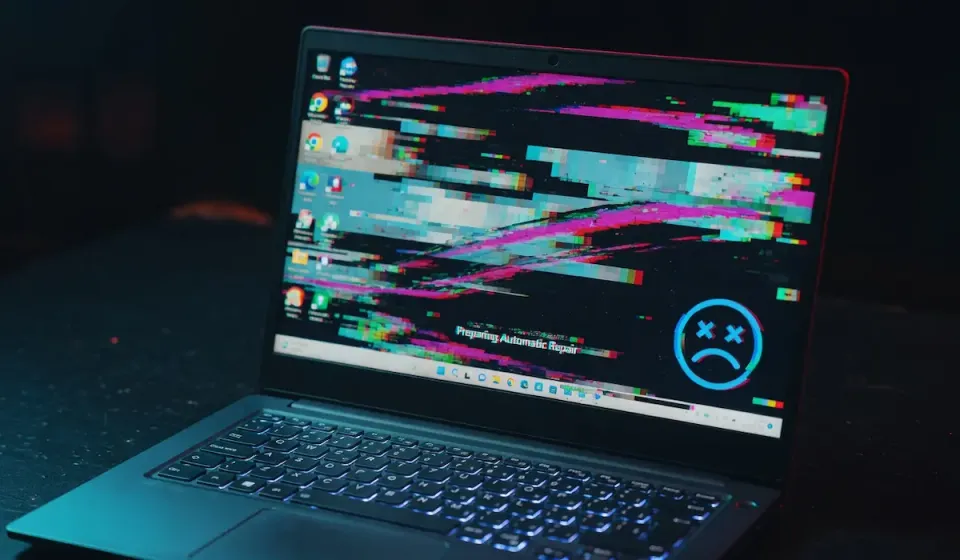
The April 2026 cumulative update KB5083769 (builds 26200.8246 and 26100.8246) is sending a significant slice of Windows 11 24H2 and 25H2 machines into a death loop. The sequence is consistent: the PC posts normally, then the screen fills with pixelated blocks or a mosaic pattern, a BSOD hits, Windows attempts automatic repair, the repair fails, and the cycle restarts. Some machines loop indefinitely. Some drop into a black screen with a spinning cursor and never recover on their own.
HP business laptops and desktops (EliteBook, ProBook, EliteDesk) and Dell Latitude and OptiPlex systems are the most commonly reported hardware. The pixelated/mosaic artifact looks like a scrambled GPU output or a corrupted framebuffer - it is not a hardware failure. It is a driver-update interaction with KB5083769 triggering the bugcheck before the display stack fully initializes.
Microsoft has not pulled the update. The fix is to remove KB5083769 from inside Safe Mode or WinRE.
Get Into Safe Mode
If you can reach the sign-in screen, hold Shift while clicking Restart. Otherwise, power-cycle the PC three times at the Windows logo to force WinRE. Then:
Troubleshoot > Advanced options > Startup Settings > Restart > 4 (Safe Mode)
Log in, then remove the update:
wusa /uninstall /kb:5083769 /quiet /norestart
shutdown /r /t 0
Uninstall Offline From WinRE
If Safe Mode refuses to load, stay in WinRE and open a command prompt from Troubleshoot > Advanced options > Command Prompt. Find your Windows drive letter:
diskpart
list volume
exit
Then pull the package directly with DISM. Replace C: with your actual Windows drive if different:
dism /image:C:\ /get-packages /format:table | findstr 5083769
Copy the full Package_for_KB5083769~... identifier, then remove it:
dism /image:C:\ /remove-package /packagename:Package_for_KB5083769~31bf3856ad364e35~amd64~~26100.8246.1.10
Reboot. The machine should come up without the update.
Use System Restore If DISM Fails
If the DISM package removal errors out (happens on some HP systems with BitLocker active), try System Restore from WinRE instead:
Troubleshoot > Advanced options > System Restore
Pick a restore point dated before April 22, 2026. This rolls back system files and the update together without touching your documents. If BitLocker prompts for a recovery key, retrieve it from your Microsoft account at account.microsoft.com/devices/recoverykey or from your organization's Azure AD.
Block the Update From Reinstalling
Until Microsoft ships a fix, pause updates so Windows Update does not redeploy KB5083769:
Set-ItemProperty -Path "HKLM:\SOFTWARE\Microsoft\WindowsUpdate\UX\Settings" `
    -Name "PauseUpdatesExpiryTime" -Value (Get-Date).AddDays(14).ToString("yyyy-MM-ddTHH:mm:ssZ")
If you manage the fleet, push a WUfB deferral or use wushowhide.diagcab to hide the KB on individual machines.
Verify
Confirm KB5083769 is gone:
Get-HotFix -Id KB5083769
Expected output: Get-HotFix : Cannot find the requested hotfix.
Check your current build is back below the broken build:
[System.Environment]::OSVersion.Version
Anything below 26100.8246 means the rollback worked. The machine should boot straight to the desktop with no pixelated screen, no mosaic artifact, and no repair loop. If the distorted screen reappears after a clean rollback, update the GPU driver manually before re-enabling Windows Update - on HP systems, pull the driver from HP Support Assistant rather than Windows Update to avoid the conflicting driver version KB5083769 ships.
Related Posts
- Fix PC Wont Boot After March 2026 Update - Similar WinRE rollback flow for the previous Patch Tuesday
- Fix BitLocker Recovery Prompt After KB5082063 - The other big April 2026 patch headache
- Fix KMODE Exception Not Handled After Update - For driver-related BSODs after cumulative updates
Need help staging Patch Tuesday updates across a multi-site fleet before they nuke half your desktops? Contact Rain City Techworks.