

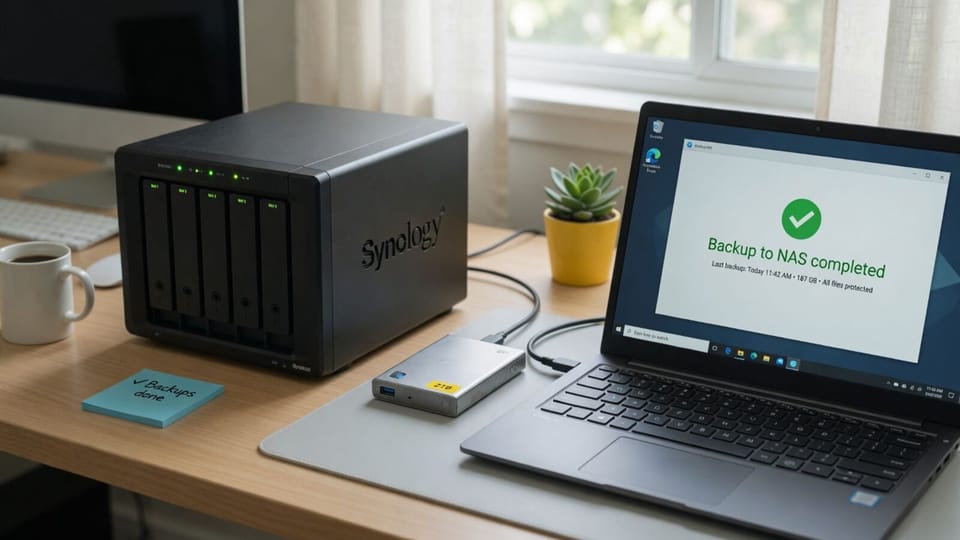
If you are searching for a veeam free alternative, you are not alone. Veeam did not exactly pull the rug. But it shifted the rug, and a lot of people are feeling the edge of the table now.
Here is what happened: Veeam replaced the old "Backup Free Edition" with something called Community Edition. On paper, it sounds like an upgrade. You get full Standard-tier features at no cost. The catch is a hard cap of 10 instances, and the way Veeam counts instances is where things get painful. Servers eat three instances each. So a shop with four servers and five workstations burns through 17 instances before the first coffee of the day. That puts you over the limit and into $250-per-workload-per-year territory, with two consecutive years of 4-8% price increases already on the books.
Then V13 landed in 2025 and removed features people were quietly depending on: reversed incremental backup mode, restore-point-based retention, CD/DVD recovery media from agents. Deprecated with warnings. Gone in V14.
If you are reconsidering the whole Veeam relationship, you are not alone.
TL;DR
- Veeam Community Edition is free but capped at 10 instances (servers cost 3 each)
- A 4-server + 5-workstation shop already exceeds the veeam community edition limit
- Paid tiers start at $250/workload/year, with annual price increases
- V13 deprecated retention by restore points and reversed incrementals
- Nakivo Free is the closest GUI-equivalent veeam replacement for small VM shops
- Proxmox Backup Server is the best free backup tool if you are already on Proxmox
- Restic is the power move for CLI-comfortable teams who want real dedup and encryption
- Macrium Reflect Free is dead (no patches since January 2024): stop using it
- Windows Server Backup is free and honestly fine for single servers with low stakes
What Veeam Actually Changed
The old Veeam Backup Free Edition had genuine limitations. No scheduled backups in some agent modes, no incremental for certain workload types. Community Edition, which shipped mid-2024, removed most of those restrictions and matched the Standard paid tier feature-for-feature.
The sole restriction is the 10-instance cap. Workstations and VMs each count as one. Servers count as three. Veeam describes this as generous. For a homelab or a one-person shop with a couple of servers, it is. For a small business IT department managing real infrastructure, it bites fast.
Veeam Agent for Windows Free is a separate product and still exists. It runs standalone on a single machine with no VBR server required. Good for laptops, workstations, or a server you just need backed up to a NAS. Not useful for centralized management across multiple machines.
The pricing story gets worse when you factor in scale. Once you clear 10 instances, you are at $250 per workload per year minimum. That is $3,000 annually for a shop with 12 workloads, before any support contract. Veeam increased prices in January 2025 and again in January 2026. The direction is clear.
The Alternatives
Nakivo Free Edition
Who it is for: Small businesses or homelabbers who want a Veeam-like GUI experience protecting VMs and physical machines.
Nakivo Free supports up to 10 workloads across VMware, Hyper-V, Nutanix AHV, Amazon EC2, and Windows/Linux physical servers. It does image-based, application-aware backup. It supports immutable local Linux repos for ransomware protection. The web UI is clean and modern.
The gotcha: "free for 1 year" means you need to renew the free license annually. Nakivo frames this as a formality, but it is a dependency. If the renewal process ever gets complicated or Nakivo changes the terms, you are in a scramble.
No multitenancy. Limited cloud/remote storage targets in the free tier. No disaster recovery orchestration. But for core backup-and-restore of up to 10 workloads, it competes directly with Veeam Community Edition. Closer than anything else on this list.
Verdict: Best GUI-based veeam replacement for shops under 10 workloads. Annual renewal is mildly annoying but manageable.
Proxmox Backup Server
Who it is for: Anyone already running Proxmox VE. If you are not on Proxmox, this is harder to justify.
PBS is open source, written in Rust, and genuinely excellent. Incremental backups, client-side AES-256-GCM encryption, content-defined deduplication that cuts storage use dramatically. Retention rules work the way you expect: keep 7 daily, 4 weekly, 6 monthly. You configure it once and forget it.
The deduplication is the real advantage. A PBS datastore with dozens of similar VMs becomes surprisingly compact. Changed blocks only. Encryption happens on the client before data leaves, so your backup server never sees plaintext.
The limitation is scope. PBS does not have a Windows backup client. It lives in the Proxmox ecosystem. You cannot point a Windows Server at PBS the way you would point it at a Veeam repository. If your infrastructure is mixed Windows and Proxmox, PBS covers the Proxmox side and you need something else for Windows.
Setup is also non-trivial for first-timers. The web interface is functional but not polished. Expect to spend a few hours on initial configuration.
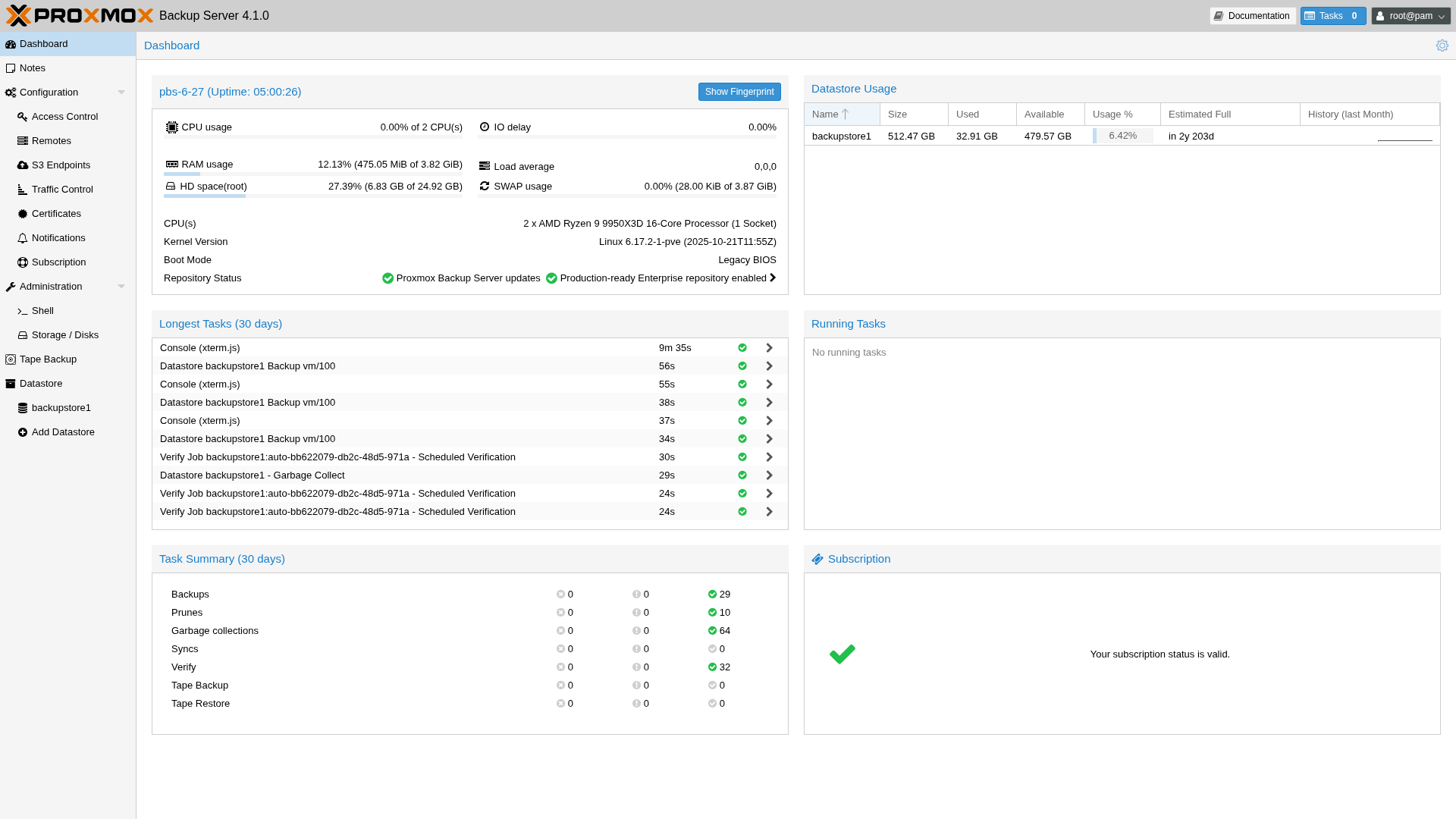
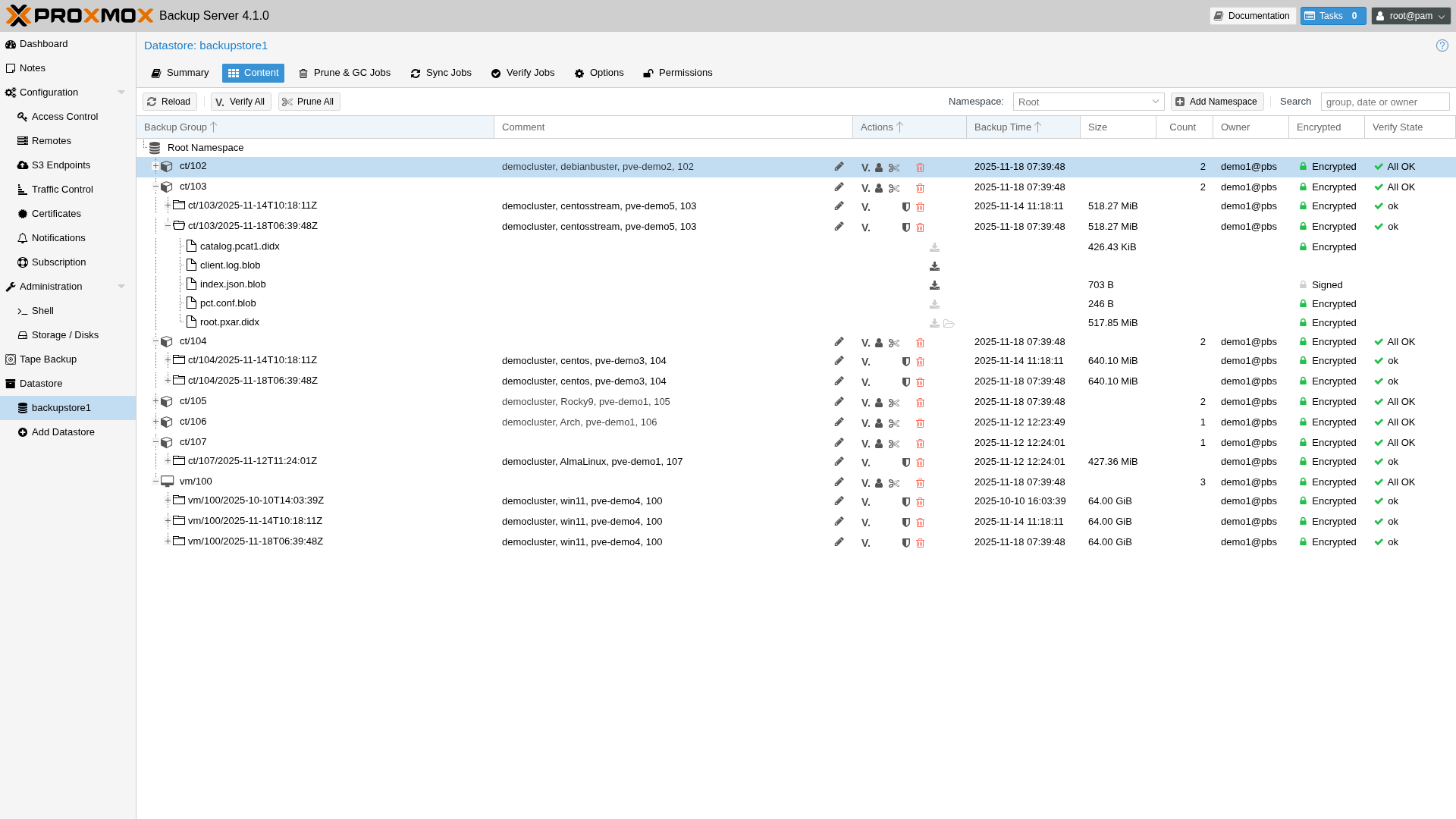
Verdict: Best free backup tool in existence if you are on Proxmox. Not useful outside that ecosystem.
UrBackup
Who it is for: Teams who want centralized client/server management for Windows and Linux machines, with file and image backups and a web interface.
UrBackup does more than most people realize. Client/server architecture with a web management interface. File backups and image backups from the same server. Incremental file backups with real-time folder watching. Bare metal restore from a bootable USB. Cross-platform: the server runs on Windows, Debian, Ubuntu, FreeNAS/TrueNAS, and QNAP. Clients run on Windows, Linux, and macOS.
The problem that stops many IT pros cold: no built-in encryption. Backups stored on the UrBackup server are unencrypted. If your backup destination is onsite only and your threat model does not include stolen backup media, this is livable. For offsite backups, it is a deal-breaker. You need to layer encryption on top, which means a second tool and more complexity.
Image backups require NTFS on Windows with primary partitions only and no dynamic volumes. Only one backup destination drive is supported. These are real constraints in production environments.
The web interface works. It is not beautiful. Setup takes an afternoon to get right.
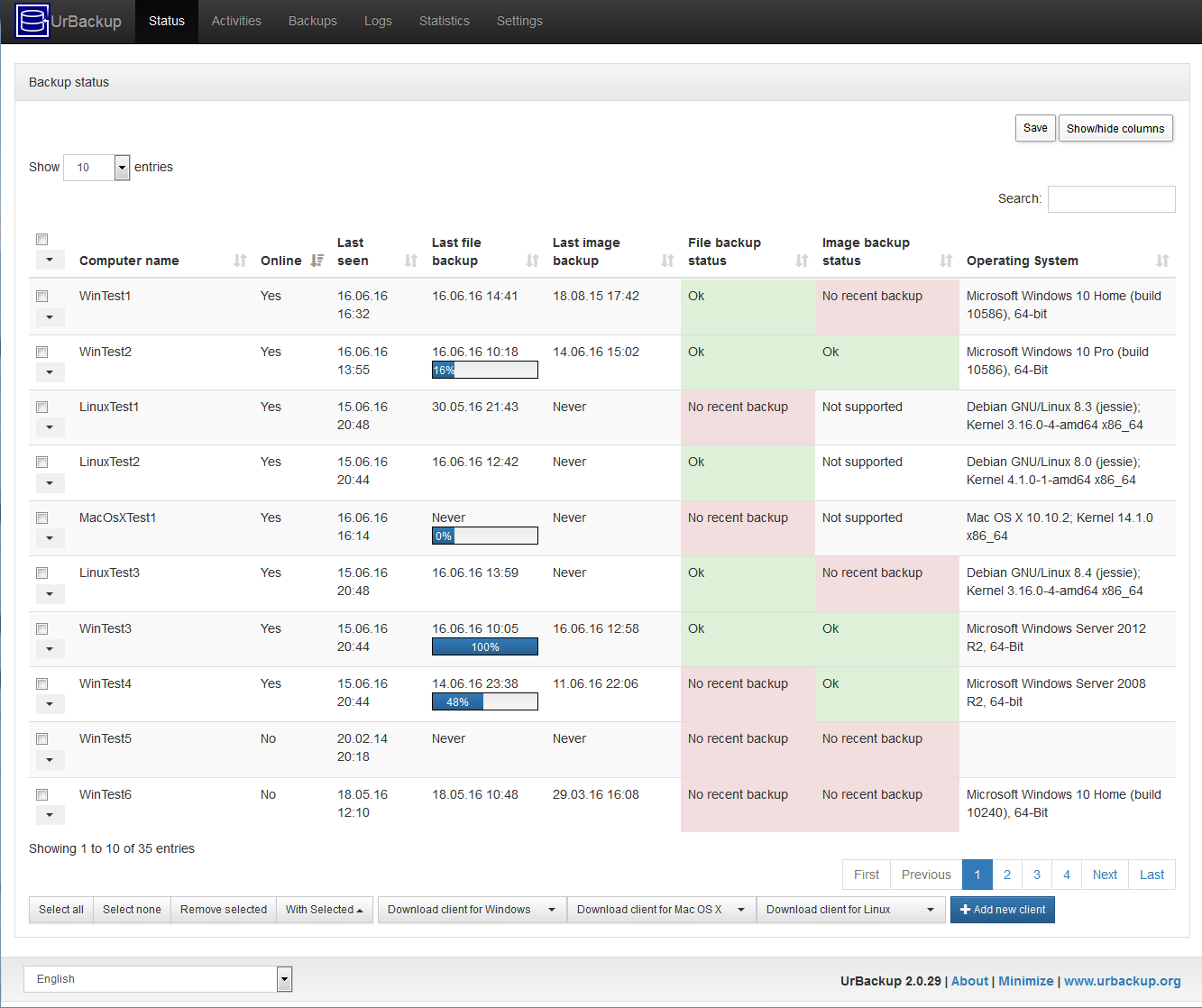
Verdict: Solid for file and image backups in environments where you control the storage and accept the encryption limitation. Not suitable as a standalone solution for offsite or cloud-replicated backups.
Restic
Who it is for: CLI-comfortable sysadmins who want fast, encrypted, deduplicated file backups that go anywhere.
Restic is the best pure backup tool most people have never set up. AES-256 encryption is always on. There is no unencrypted mode. Content-defined chunking delivers 60-80% deduplication on typical server workloads. It backs up to local paths, SFTP, S3 and any S3-compatible target including Backblaze B2, Cloudflare R2, and Wasabi, plus Azure Blob, Google Cloud Storage, and rclone destinations covering everything else.
Restore speed is fast. Backup speed is fast. The repository format is well-documented and the project is actively maintained.
The barrier is the command line. Restic has no GUI. You write backup scripts, schedule them with cron or Task Scheduler, and monitor them however you monitor your other scheduled tasks. For a Linux shop, this is a non-issue. For a Windows-heavy environment where the primary admin is not comfortable with PowerShell or bash, it creates friction.
Restic also does not do image-based backups or bare metal recovery. It backs up files and directories. For bare metal recovery you need something else, or you restore the OS separately and then restore data from Restic.
Verdict: Best tool for file-level encrypted cloud backups. Requires CLI comfort. Not a veeam replacement for VM or bare metal scenarios, but a critical piece of any layered backup strategy.
BorgBackup
Who it is for: Linux servers and homelabs running Linux exclusively.
BorgBackup has a more mature deduplication algorithm than Restic and produces smaller repositories on typical workloads. Memory efficiency is better on low-RAM systems. Encryption uses AES-256 with HMAC-SHA256.
The tradeoff: native S3 support does not exist. You need rclone or borgmatic to push backups to cloud storage. borgmatic adds a YAML-based configuration layer and some scheduling capability, which helps significantly.
On Windows, BorgBackup requires WSL. That is an acceptable workaround for some shops, a non-starter for others.
If you are running Linux servers and want smaller backup repos than Restic with equally strong encryption, Borg is worth evaluating. If you have any Windows machines in the mix, Restic is the better choice for cross-platform compatibility.
Verdict: Better than Restic for pure Linux environments. More setup complexity for cloud storage. Skip it if you have Windows servers.
Duplicati 2.2
Who it is for: Users who want a GUI-based encrypted cloud backup tool across Windows, Linux, and Mac.
Duplicati released version 2.2.0.0 stable in October 2025. This matters because the project spent years stuck in beta with reliability concerns. The 2.2 release includes a complete UI rewrite, performance improvements, and expanded storage support including pCloud, Filen, SMB shares, and improved S3 restore flows.
Duplicati handles file-level backups with AES-256 encryption and a web UI accessible from any browser. It connects to a wide range of cloud destinations: S3, Backblaze B2, Azure, Google Drive, SFTP, WebDAV, FTP, and more. Cross-platform with no per-machine cost.
The limitation: file-level only. No image backups. No bare metal recovery. For a server with a complex OS configuration, Duplicati gets your data but not your bootable system state.
The older reputation for corrupted backups has improved with 2.2, but test your restores regularly. This is true of any backup tool, but especially true here.
Verdict: Good GUI-based option for cloud file backups after the 2.2 stabilization. Not a VM or bare metal solution. Verify your restores.
Macrium Reflect Free
Dead. End of support was January 1, 2024. No security patches since then.
You can still install it and it will run. It will back up your disk and restore it. But every vulnerability discovered since January 2024 is unpatched and will stay that way. For anything connected to a network, this is not acceptable.
Macrium Reflect X launched in October 2024 as the paid successor. Reflect 8 Home is the paid option that remains available. If you need Windows disk imaging with a polished GUI, one of those is the right path.
If you are still running Macrium Reflect Free on production machines: replace it now. Not next quarter.
Verdict: Do not use for new deployments. Migrate existing installations off it.
Windows Server Backup
Free, already installed, and completely underrated for what it actually is: a simple, VSS-based backup tool for small single-server environments.
What it does: full server backup, system state backup, bare metal recovery, scheduled incremental backups to a local drive or network share. No licensing cost. No agent install. It works.
What it does not do: encrypt backups. Retain more than one copy when backing up to a network share. Back up to tape, cloud, or removable media. Recover individual application items from Exchange, SQL, or Active Directory. Manage multiple servers from a central console. Handle Hyper-V VMs with any sophistication.
For a single Windows Server used as a file server or domain controller in a small office, Windows Server Backup is a legitimate choice. Pair it with Restic or Duplicati for an encrypted cloud copy and you have a real 3-2-1 strategy with zero licensing cost.
For anything beyond one or two servers, the limitations become walls quickly.
Verdict: Underestimated for single-server shops. Outgrown by anything with real complexity.
Side-by-Side Comparison
| Tool | VM Backup | Bare Metal | Incremental | Dedup | Encryption | Web UI | Free Limit |
|---|---|---|---|---|---|---|---|
| Veeam Community | Yes | Yes | Yes | Yes | Yes | Yes | 10 instances |
| Nakivo Free | Yes | Yes | Yes | Yes | Yes | Yes | 10 workloads, 1yr renewal |
| Proxmox PBS | Proxmox only | No | Yes | Yes | Yes | Yes | None |
| UrBackup | No | Yes | Yes | No | No | Yes | None |
| Restic | No | No | Yes | Yes | Yes | No (CLI) | None |
| BorgBackup | No | No | Yes | Yes | Yes | No (CLI) | None |
| Duplicati 2.2 | No | No | Yes | No | Yes | Yes | None |
| Macrium Free | No | Yes | No | No | No | No | Dead (EOL Jan 2024) |
| Win Server Backup | Limited | Yes | Yes | No | No | No | None |
Pick This If...
You want the closest drop-in veeam replacement with a GUI: Nakivo Free. Same workload limit, similar web interface, image-based and app-aware backup for VMs and physical machines. The annual license renewal is the only friction.
You are running Proxmox: Proxmox Backup Server, no debate. It is purpose-built for this and handles deduplication and encryption better than anything else in the free backup software tier.
You run Linux servers and are comfortable with the command line: Restic for file/data backups, with cron schedules and Backblaze B2 or Cloudflare R2 as your cloud target. Add PBS if you have Proxmox VMs. This combination is rock solid.
You have Windows machines and want GUI-based cloud backup for files: Duplicati 2.2. Better since the stable release. Test your restores.
You run a single Windows Server in a small office: Windows Server Backup for local BMR, Restic or Duplicati for the cloud copy. Total cost: zero.
You need central management for a mixed Windows/Linux fleet without paying: UrBackup for local image and file backups. Accept the no-encryption limitation for local storage and layer Restic on top for any offsite copies.
You have more than 10 workloads and need VM backup with proper support: At this point you are paying. Veeam Community Edition stops being viable, and Nakivo free has the same ceiling. Either buy Veeam Standard, Nakivo Pro, or look at Altaro/HYCU for the paid segment.
Building a Real 3-2-1 Strategy With Free Backup Tools
The 3-2-1 rule: three copies of your data, on two different media types, with one copy offsite. No backup strategy is complete without the offsite piece.
Stack A: Restic everywhere (Linux/mixed shops)
- Primary copy: data on your production server
- Local copy: Restic backup to a NAS share on-premises (fast restores)
- Offsite copy: Restic backup to Backblaze B2 or Cloudflare R2
Both copies are AES-256 encrypted. Both are deduplicated. Backblaze B2 costs roughly $6 per TB per month. For most small environments, monthly storage costs are under $20.
Schedule with cron (Linux) or Task Scheduler (Windows). Test restores quarterly.
Stack B: PBS + Restic (Proxmox shops)
- Primary copy: running VMs on Proxmox
- Local copy: PBS for all VMs with dedup and encryption
- Offsite copy: Restic or rclone syncing PBS datastore to cloud, or PBS remote sync if you have a second site
Stack C: Nakivo Free + cloud (GUI-first shops)
- Primary copy: production machines
- Local copy: Nakivo backing up to local NAS or hardened Linux repo
- Offsite copy: Nakivo's replication or a separate Duplicati job for cloud
Stack D: Windows-only small office
- Primary copy: production server
- Local copy: Windows Server Backup to external drive or NAS share
- Offsite copy: Duplicati 2.2 or Restic to any cloud storage target
Veeam Community Edition is still a genuinely good deal for homelabs and shops with under 10 workloads. The features are real. The product is mature. If you are in that range, keep using it.
If you are hitting the veeam community edition limit or watching the per-workload price climb past what your budget supports, the alternatives are real. None of them match Veeam's overall polish. Nakivo comes closest for VM-centric environments. Restic and PBS are stronger on technical fundamentals but demand more from the person running them.
The right answer depends on your environment, your team's CLI comfort level, and how many workloads you are actually protecting. Map that out before you commit to anything.
Related Posts
- Proxmox vs ESXi vs Hyper-V: Which Hypervisor in 2025?
- RustDesk vs AnyDesk vs TeamViewer: Remote Access Tools Compared
- Pacific Northwest IT Recycling Guide: Where to Properly Dispose of Old Hardware
Need help building a backup strategy for your business? Contact Rain City Techworks.