Fix: Microsoft 365 Apps Won't Open on Windows
Microsoft 365 desktop apps won't open or crash on startup? Fix Word, Excel, and PowerPoint with repair, safe mode, and update steps.


Microsoft Windows, Office 365, and Azure updates, fixes, and guides
Microsoft 365 desktop apps won't open or crash on startup? Fix Word, Excel, and PowerPoint with repair, safe mode, and update steps.
Microsoft confirmed a high-risk security bypass vulnerability, CVE-2026-21509, which is currently being exploited. This flaw lets attackers get around Object Linking and Embedding (OLE) security.
Sorry, something went wrong. Something happened on our end. Waiting a bit might help.
Microsoft recently identified a critical vulnerability, CVE-2026-21509, affecting several versions of Microsoft Office.
Microsoft released an emergency security update for a vulnerability known as CVE-2026-21509.
Fix MO1221364 error in Microsoft 365, Outlook, Microsoft Defender, Microsoft Purview. Step-by-step solution to resolve this issue and get back to work.
When you install Microsoft 365 on a Mac, it should just work. But many users find Word, Excel, and PowerPoint crashing immediately at launch. The apps briefly open, then quit with a confusing dynamic linker error. Here's how to fix it.
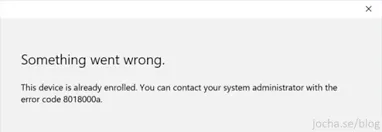
You're trying to enroll a device in Intune or Azure AD and get "Something went wrong. The device is already enrolled. Error code 8018000a." This happens when the device was removed from Intune but leftover enrollment records still exist in the registry.
Error 734: The PPP link control protocol was terminated when connecting to a VPN, especially one using multi-factor authentication (MFA). This indicates the Point-to-Point Protocol (PPP) negotiation failed, often during the MS-CHAPv2 handshake with MFA.