

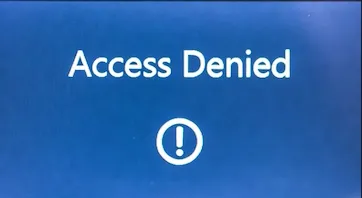
Your users are getting an "Access denied" error with code 4usqa when trying to sign into classic Outlook for Windows. This is a tenant-level issue requiring administrator action.
The Fix
Re-enable the Microsoft Information Protection API service principal in your Microsoft Entra ID tenant. Microsoft disabled this principal (App ID: 40775b29-2688-46b6-a3b5-b256bd04df9f) in some tenants, causing the authentication failure.
Method 1: Enable via Microsoft Entra Admin Center
1. Sign in to the Microsoft Entra admin center as a Global or Application Administrator.
2. Navigate to Identity > Applications > Enterprise applications.
3. Search by the App ID: 40775b29-2688-46b6-a3b5-b256bd04df9f. Ensure your filter includes "Hidden apps".
4. Select the Microsoft Information Protection API application.
5. Go to Properties and set "Enabled for users to sign in?" to Yes.
6. Click Save.
7. Instruct affected users to restart Outlook.
If That Doesn't Work:
Method 2: Enable via Microsoft Graph PowerShell
If the GUI search fails, use PowerShell to find and enable the service principal.
# Connect with required permissions
Connect-MgGraph -Scopes "Application.ReadWrite.All"

Get the specific service principal
$sp = Get-MgServicePrincipal -Filter "appId eq '40775b29-2688-46b6-a3b5-b256bd04df9f'"

Enable it
Update-MgServicePrincipal -ServicePrincipalId $sp.Id -AccountEnabled $true

Disconnect
Disconnect-MgGraph
After running, have users restart Outlook.
If That Doesn't Work (Hybrid Environments):
Enabling the MIP API may fix sign-in but not other hybrid features like free/busy. For hybrid Exchange environments, also verify:
1. Hybrid Modern Authentication (HMA) is enabled in Exchange Online.
2. The IntraOrganizationConnector is present. Check with Get-IntraOrganizationConnector in Exchange Online PowerShell and recreate if missing.
3. An Organization Relationship for free/busy is configured between your Exchange Online and on-premises organizations.
If That Doesn't Work (End-User Actions):
If admin access is delayed, users can attempt these temporary workarounds:
- Remove and re-add their mail profile in Outlook (File > Account Settings > Manage Profiles).
- Switch to the "New Outlook" for Windows client, if licensed.
Verify
Have the affected user launch classic Outlook. They should be able to sign in without the 4usqa or CAA2000B error. The underlying fix is nearly always enabling the disabled Microsoft Information Protection API service principal. For persistent issues in hybrid setups, focus authentication troubleshooting on the EWS and OAuth configuration between your on-premises and cloud environments.
 RainCity Techworks
Related Reading
Need hands-on help? Contact RainCity Techworks.