


Somebody turned off a Conditional Access policy to fix one user’s sign-in and never turned it back on. A former admin still has a mailbox forwarding rule pointing at a Gmail address. Nobody notices until the cyber insurance renewal form asks a question you cannot answer.
Microsoft 365 tenants drift. Settings change, admins come and go, and Microsoft adds new features with new defaults. You need a free Microsoft 365 security audit that checks the whole tenant against a known baseline, and you do not need to pay for one. These five free Microsoft 365 security audit tools do the job, and each takes a different approach.
1. Microsoft Secure Score
Secure Score is already in your tenant. Open the Microsoft Defender portal and you get a score, a list of recommended actions, and the points each one is worth. Microsoft caps each action at 10 points. Most are scored as done or not done, and some give partial credit: protect half your users with MFA and you get half the points.
You can also mark an action as handled by a third-party tool or accept the risk, so the score reflects reality instead of nagging you forever.
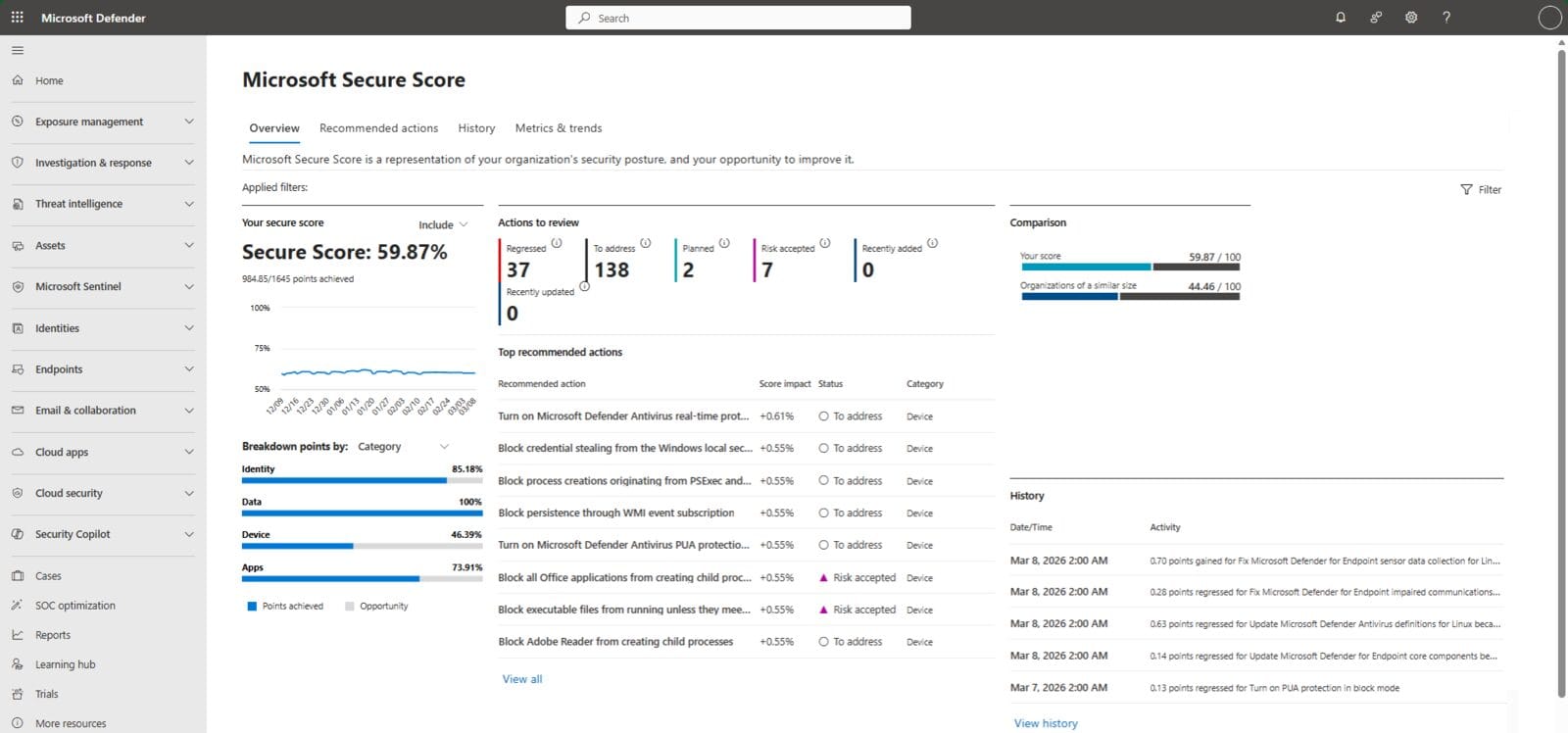
Who it is for: everyone, as the first stop. Give your helpdesk or an outside reviewer the Global Reader or Security Reader role and they can see it without being able to change anything.
The catch: Microsoft shows recommendations for every product you hold a license for, regardless of edition, so some actions point at features you do not own. It also grades you against Microsoft’s own checklist, not an independent baseline.
Verdict: free, built in, and good enough to find the obvious gaps. Start here, then use the tools below to check what Secure Score does not.
2. Maester
Maester is an open source test framework that turns Microsoft 365 security best practices into tests you can run over and over. The current stable release is built on Pester, the standard PowerShell testing framework, and installs its tests into a folder you choose. It bundles several baselines in one report: CISA SCuBA, the CIS Microsoft 365 Foundations Benchmark, EIDSCA for Entra ID, and ORCA for Exchange Online, plus the community’s own tests.
Install-Module -Name Maester -Scope CurrentUser
md maester-tests
cd maester-tests
Install-MaesterTests
Connect-Maester
Invoke-Maester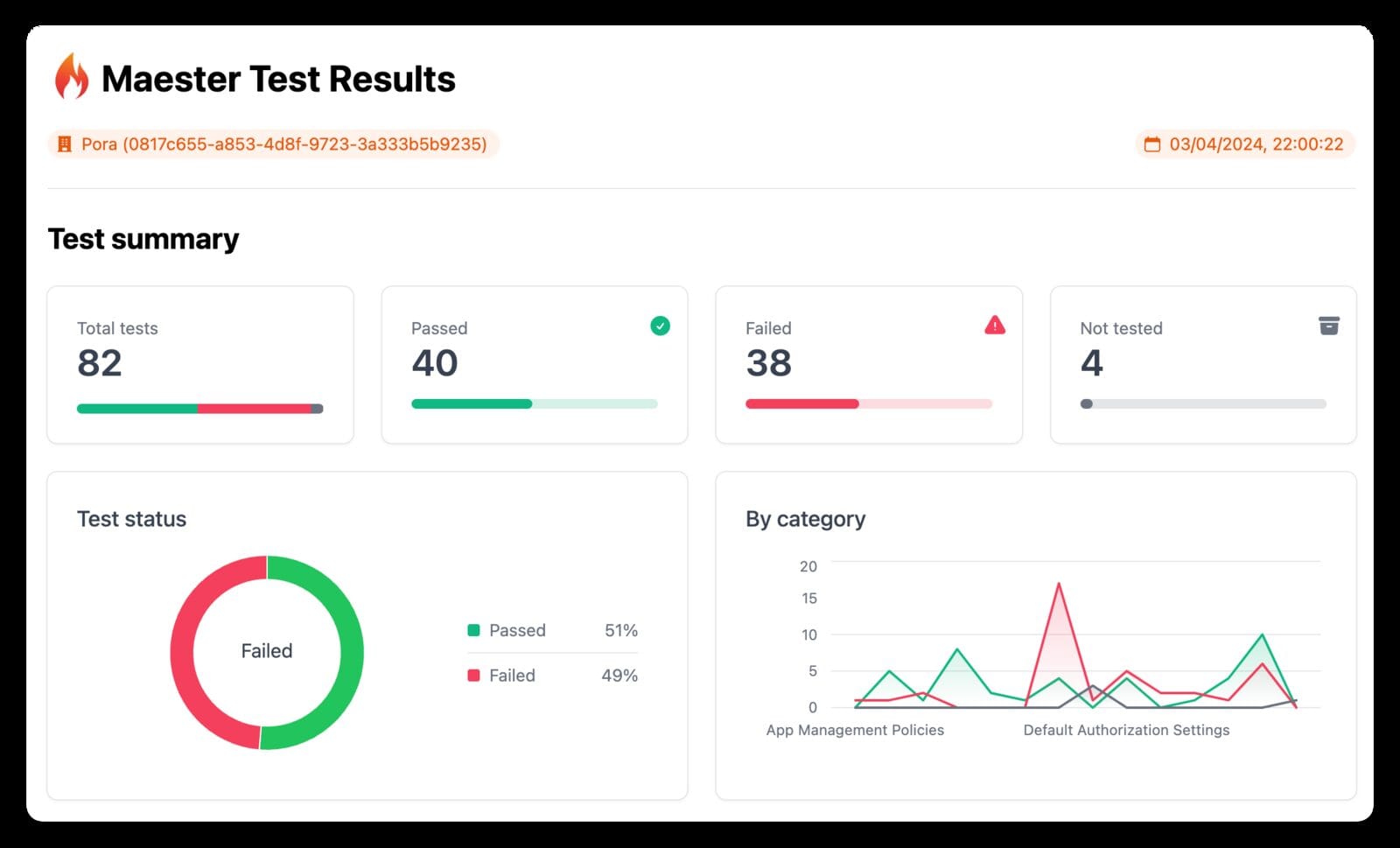
Who it is for: admins who want to catch drift. Its standout feature is the Conditional Access What-If tests, which let you check a policy change before it opens a loophole. You can run it on a schedule in GitHub Actions, Azure DevOps, or GitLab and get results by email, Teams, or Slack.
The catch: Maester 3.0, now in preview, requires PowerShell 7.4 or later and drops Windows PowerShell 5.1. If you automate installs, pin the version you tested.
Verdict: the best all-round pick. Run it once for an audit, then schedule it so the report tells you when something changes.
3. CISA ScubaGear
ScubaGear comes from CISA, the federal Cybersecurity and Infrastructure Security Agency. It checks your tenant against the agency’s Secure Configuration Baselines for Entra ID, Exchange Online, Security Suite, SharePoint and OneDrive, Teams, Power BI, and Power Platform. It pulls your settings through PowerShell, compares them using Open Policy Agent, and writes the results as HTML, JSON, and CSV. Every control is mapped to NIST SP 800-53 and MITRE ATT&CK.
Install-Module -Name ScubaGear
Install-ScubaDependencies
Invoke-SCuBA -ProductNames *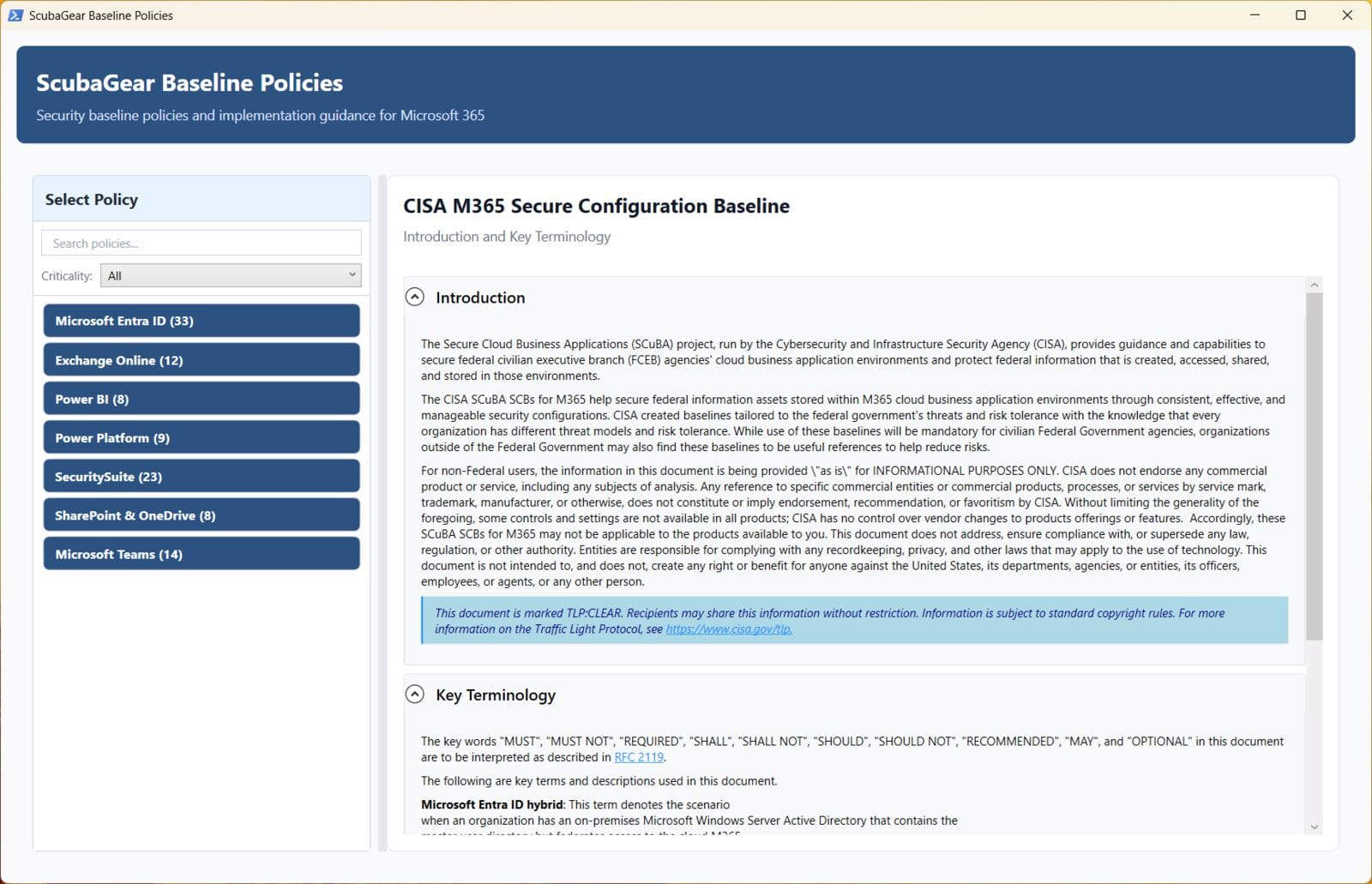
Who it is for: anyone who needs a baseline an auditor or insurer will recognize. The YAML configuration file lets you record exceptions and accepted risks, which gives you a paper trail.
The catch: the baselines were written for federal agencies, so some controls will be stricter than a ten-person office needs. CISA’s README says to run it from Windows PowerShell 5 on a Windows computer, and to build a configuration file after your first run. Without one, it assumes defaults that may not match your policies.
Verdict: the most authoritative baseline here. Use the report to decide what to fix and document why you skipped the rest.
4. Monkey365
Monkey365 is an open source assessment framework that covers Microsoft 365, Entra ID, and Azure in one scan. It collects configuration from Exchange Online, SharePoint Online, Teams, Purview, and Fabric, then checks it against rules written in JSON. Its reports include the evidence behind each finding and how to fix it.
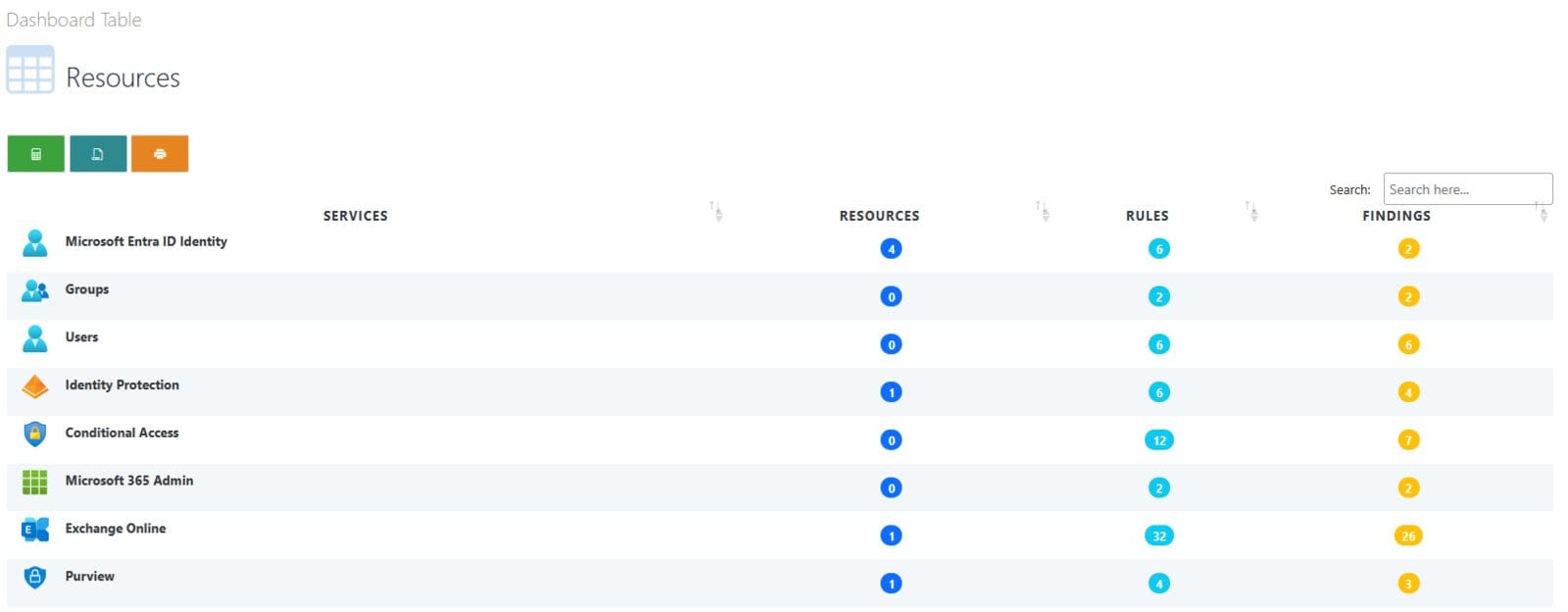
Who it is for: consultants and admins who also run Azure subscriptions. Monkey365 bundles its own dependencies, so you do not need the Graph PowerShell SDK, the Exchange module, or the Azure CLI installed first. That makes it easy to run from a clean jump box.
The catch: the report is detailed, which is great for an assessment and a lot to read for a small office. Review the required permissions page before you point it at production.
Verdict: the pick when you need Microsoft 365 and Azure in the same report, with evidence a client can follow.
5. Zero Trust Assessment
Zero Trust Assessment is a PowerShell module that reviews your tenant across seven areas: identity, devices, network, data, infrastructure, security operations, and AI. It is read-only, makes no changes, and produces a local report with recommendations in priority order.
Install-PSResource -Name ZeroTrustAssessment -Scope CurrentUser
Connect-ZtAssessment -Tenant contoso.onmicrosoft.com
Invoke-ZtAssessment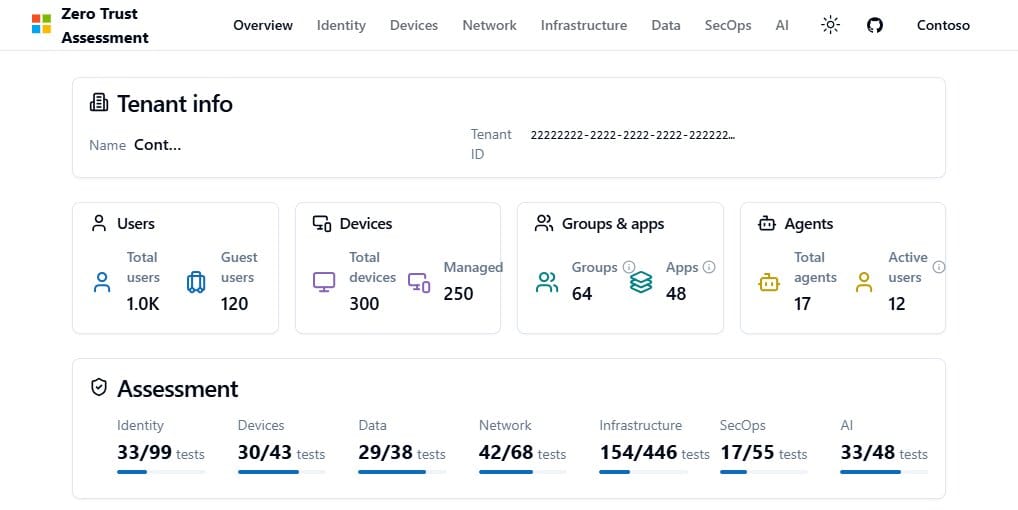
Who it is for: organizations planning a Zero Trust rollout that want a broad first look, including AI agents.
The catch: the README is clear that this is a community project maintained by Microsoft employees, not an official Microsoft product, and it has no Microsoft support. Telemetry is on by default and sends the tenant ID. Turn it off with the DisableTelemetry switch. Full coverage needs Windows, and the maintainers suggest a dedicated VM. Treat the report like a sensitive document.
Verdict: great for a wide first look, but run Maester or ScubaGear for the repeatable baseline.
Free Microsoft 365 Security Audit Tools Compared
| Tool | Made by | Covers | Best for |
|---|---|---|---|
| Secure Score | Microsoft, built in | Microsoft 365 and Defender products | A quick first look |
| Maester | Open source community | Entra ID, Exchange, CIS, CISA, custom tests | Ongoing monitoring |
| ScubaGear | CISA | Entra ID, Exchange, Security Suite, SharePoint, Teams, Power Platform | An auditor-friendly baseline |
| Monkey365 | Open source community | Microsoft 365, Entra ID, Azure | Combined M365 and Azure reviews |
| Zero Trust Assessment | Microsoft employees, community project | Seven Zero Trust pillars | Zero Trust planning |
Which One to Run First
Open Secure Score today. It takes a minute and needs no install. Then run Maester and ScubaGear against the same tenant. Where they agree, fix it. Where they disagree, decide on purpose and write down why. That written decision is exactly what an insurer or auditor will ask for.
Most findings land in two places: sign-in policy and admin accounts. Our guides on Conditional Access and Windows LAPS cover the two fixes that come up most.
Frequently Asked Questions
Is Microsoft Secure Score free?
Yes. There is nothing to buy or install. If you hold a license for a supported Microsoft product, Secure Score shows recommendations for that product in the Defender portal. Microsoft shows the full set of recommendations for each product regardless of license edition or plan, so some actions will point at features your subscription does not include. Your score updates in real time as you make changes, and it syncs daily to pick up the points you have earned.
Who can view Secure Score without changing anything?
Microsoft lists several Entra roles with read-only access: Global Reader, Security Reader, Security Operator, Helpdesk Administrator, User Administrator, and Service Support Administrator. These people can see the score and the recommended actions, but they cannot edit an action’s status or notes. Security Administrator or higher, Exchange Administrator, and SharePoint Administrator can make changes and grant read-only access to others. Give an outside reviewer Global Reader and they can look without touching.
What permissions does ScubaGear need?
For an interactive run, CISA’s documentation lists Global Reader as the minimum role for Entra ID, Exchange Online, Security Suite, SharePoint Online, and Microsoft Teams. Power BI needs a Fabric Administrator with a Power BI or Fabric license, and that user must sign in to the Power BI portal once before the first run. Power Platform needs a Power Platform Administrator with a Power Apps for Office 365 license. A Global Administrator always has enough rights to run it.
Do these tools change any tenant settings?
The audit tools here read your configuration and report on it. ScubaGear queries Microsoft 365 APIs to gather your security settings and writes a report. The Zero Trust Assessment README states it is read-only, makes no changes, and offers no remediation. Secure Score only changes when you act on a recommendation or update an action’s status yourself. Fixing what they find is still your job, which is why the written exceptions in a ScubaGear configuration file are worth keeping.
How often should you run a Microsoft 365 security audit?
Secure Score keeps itself current, so glance at it whenever you change a policy. For the deeper tools, a one-time run tells you where you stand today but says nothing about next month. Maester is built for repeat runs: schedule it in GitHub Actions, Azure DevOps, or GitLab and it emails or posts the results to Teams or Slack. Its optional CISA tests are skipped when the extra modules are missing, so install those before you schedule it.
References
- Microsoft Learn: Microsoft Secure Score
- Maester on GitHub
- CISA ScubaGear on GitHub
- CISA: Secure Cloud Business Applications project
- Monkey365 on GitHub
- Zero Trust Assessment on GitHub
Keep Reading
- Beyond MFA: Why Your Business Needs Conditional Access
- Windows LAPS Setup: Unique Admin Passwords on Every PC
- Microsoft 365 Offboarding Checklist for Departing Staff
Want a second set of eyes on your Microsoft 365 audit results? Contact Rain City Techworks.